

Surround View Monitor Settings

-
You can change Surround View Monitor settings by pressing the setup icon「
 」 on the screen while the function is operating or select 'Driver Assistance → Parking Safety → Camera Settings' from the Settings menu while the ENGINE START/STOP button is in the ON position.
-
Display Contents: Display Contents: To change the settings of Top View Parking Guidance, Parking Guide in Rear View, and Parking Distance Warning function.
-
Display Settings: To change the screen's brightness and contrast.
-
The settings menu may not be depending on the specifications of the vehicle specifications.
Surround View Monitor Auto On
With the vehicle on, select or deselect 'Setup → Vehicle → Driver Assistance → Parking Safety → Surround View Monitor Auto On' from the infotainment system screen to set whether or not to use each function.
For more details on the limitations of Surround View Monitor Auto On, refer to Surround View Monitor Operation.
Parking/View button
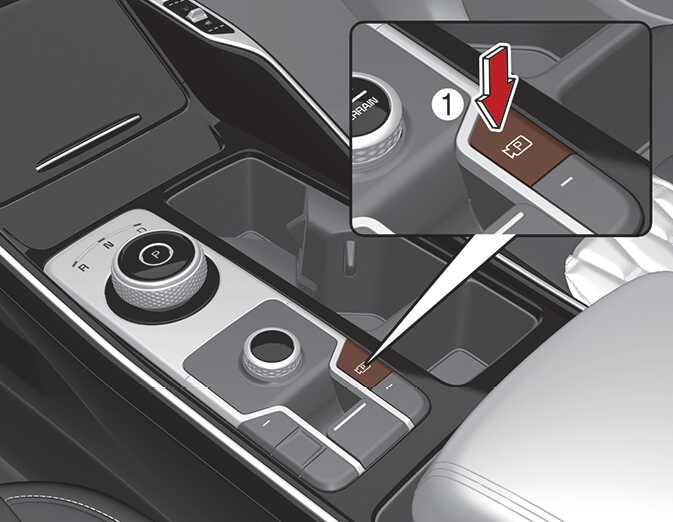
Press the Parking/View button (1) to turn Rear View Monitor on or off.
Press the button again to turn off the function.