
Service mode
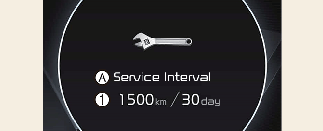
A: Service Interval
-
Service interval schedule
Service Interval
It calculates and displays when you need a scheduled maintenance service (mileage or days).
If the remaining mileage or time reaches 1,500 km (900 miles) or 30 days, "Service interval" message is displayed for several seconds each time you set the ignition switch or ENGINE START/STOP Button to the ON position.
Service required
If you do not have your vehicle serviced according to the already input service interval, "Service required" message is displayed for several seconds each time you set the ignition switch or ENGINE START/STOP Button to the ON position.
To reset the service interval to the mileage and days you input before:
-
Select 'Vehicle settings → Service Interval → Reset'.

If any of the following conditions occur, the mileage and days may be incorrect.
-
The battery cable is disconnected.
-
The battery is discharged.