

Utility mode
The vehicle uses the high voltage battery instead of the 12V battery to operate convenience features. When driving is not necessary, such as when you are camping or stopping the vehicle for an extended period of time, you can use the electrical features (audio, lights, air conditioner, heater, and so on) for many hours.
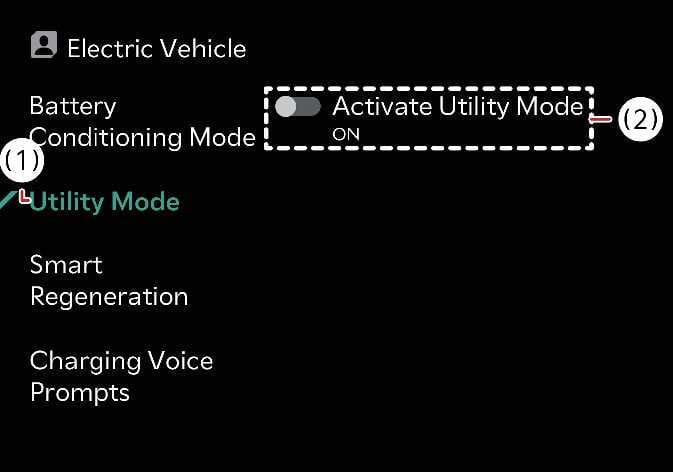 N_QVe27_C00_125_E |
|
System setting
You can activate the Utility mode function when the vehicle has met the following conditions:
-
The EV button is in the POWER ON or the DRIVE READY position.
-
The Electronic Parking Brake (EPB) is not malfunctioning.
-
The gear is in P (Park).
System activation
To activate utility mode, tap on the infotainment system screen.
When the utility mode is active:
-
The UTIL indicator displays on the instrument cluster and the EPB is applied.
-
You can use electric devices but you cannot drive the vehicle.
-
You can press the EPB switch to cancel the EPB.
-
You cannot shift the gear out of P (Park). If you attempt to shift the gear, the message Shifting conditions not met displays on the infotainment system screen.
System deactivation
-
Pressing the EV button without engaging the brake turns the vehicle OFF.
-
Pressing the EV button whilst engaging the brake switches the vehicle to its DRIVE READY state.
-
To deactivate the utility mode, tap on the infotainment system screen and then tap OFF. After confirming that you would like to deactivate the Utility mode, tap Yes to deactivate it. Then the vehicle turns OFF.