

Automatic heating and air conditioning (A/C) operation
 KIA_C00_047 |
-
Tap the AUTO icon.
The modes, fan speeds, air intake, and air-conditioning are controlled automatically by setting the temperature.
Level
Indicator
High

Medium

Low

-
Press the temperature control lever to the desired temperature.
-
To turn the automatic operation off, press any of the following buttons:
-
Mode selection lever/icon
-
Air conditioning icon
-
Front windscreen defroster icon
Press the icon again to deselect the front windscreen defroster function. The AUTO sign will appear on the information display once again.
-
Fan speed control lever
The selected function is controlled manually, whilst other functions operate automatically.
-
-
To improve the effectiveness of the climate control, press the AUTO icon and set the temperature to 72 °F (22 °C).
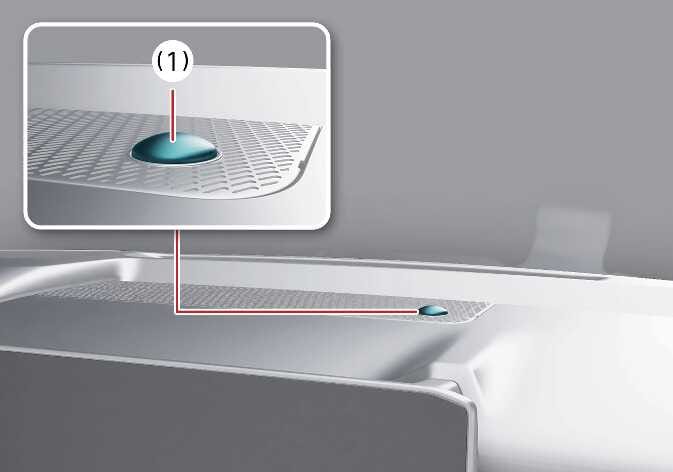 N_SP327_B05_007_1 |
For better control of the heating and cooling system, never place anything over the sensor (1) located on the instrument panel.