

Smart regeneration system operation
 OAYIEV096014R |
 N_QVe27_C00_005_E |
-
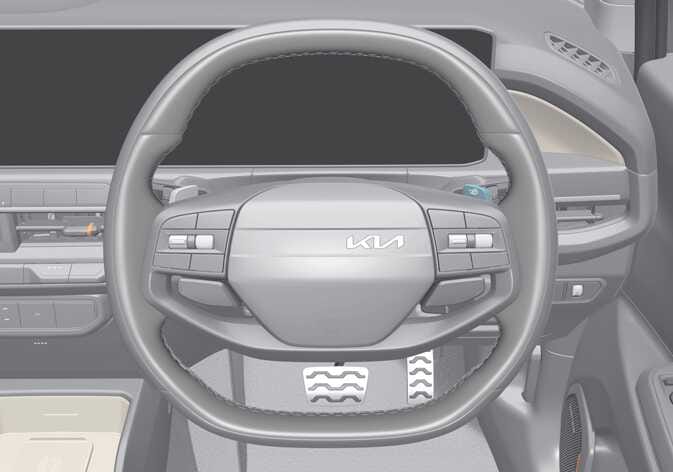
Pull and hold the right side (
 ) of the paddle shifter for approximately more than 1 second to activate smart regeneration system. (
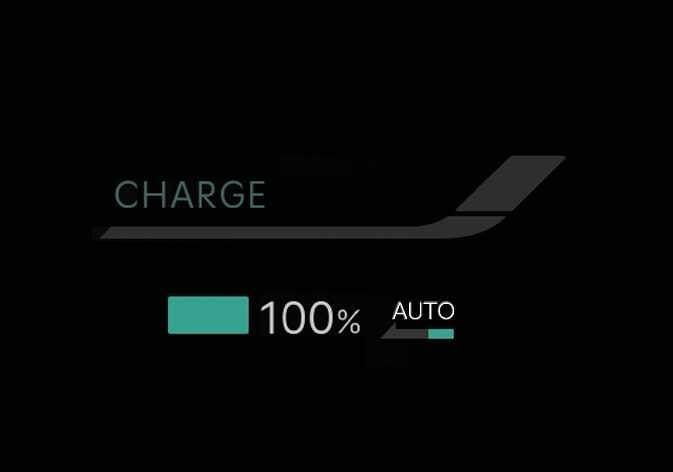
 ) indicator will appear on the instrument cluster.
 -
Pull and hold the right side (
) of the paddle shifter again for approximately more than 1 second to deactivate smart regeneration system. () indicator will disappear on the instrument cluster.
Smart regeneration system will automatically deactivate when:
-
You shift to P (Park), R (Reverse), or N (Neutral).
-
Cruise Control (CC) or Smart Cruise Control (SCC) is operating.
-
Electronic Stability Control (ESC) or the Anti-lock Brake System (ABS) is operating.
Operating conditions
-
The road gradient changes
-
The distance from the vehicle ahead increases or decreases
-
The speed of the vehicle ahead increases or decreases
-
Taking a left or right turn in the crossroads
-
Approaching a roundabout
Non-operating conditions
-
You shift to P (Park), R (Reverse), or N (Neutral).
-
Cruise Control (CC) or Smart Cruise Control (SCC) is operating.
-
Electronic Stability Control (ESC) or the Anti-lock Brake System (ABS) is operating.
-
Smart Regeneration System relies on front view camera in the vehicle. Foreign substances on the front view camera may cause the malfunction of Smart Regeneration System. Be sure to maintain clear view for the front view camera.
-
The Smart Regeneration System will not operate when the Forward Collision-Avoidance Assist (FCA) warning light on the cluster is illuminated. The driver must adjust the vehicle speed by depressing the accelerator or brake pedal according to the road condition ahead and driving condition.
-
Smart regeneration system, which automatically controls regenerative braking during coasting, is a supplemental system for driver convenience.
-
Do not rely solely on this system to stop the vehicle. The system cannot fully stop the vehicle in all situations or prevent all collisions.
-
Braking may be insufficient if a vehicle ahead stops suddenly, cuts in unexpectedly, or when driving on steep slopes.
-
Always remain alert and observe road conditions to prevent unexpected situations.
-
When the smart regeneration system automatically cancels, adjust your speed by using the accelerator or brake pedal according to road conditions.
-
If an emergency stop is necessary, you must apply the brakes.
-
Keep a safe distance according to road conditions and vehicle speed. If the vehicle to vehicle distance is too close during a high-speed driving, a serious collision may result.
-
Always maintain sufficient braking distance and decelerate your vehicle by applying the brakes if necessary.
-
The Smart Regeneration System is designed to detect and monitor the vehicle ahead in the roadway through radar signals. It is not designed to detect oncoming vehicles, pedestrians, bicycles, motorcycles, or smaller wheeled objects such as luggage bags, shopping carts, or strollers.
-
Vehicles moving in front of you with a frequent lane change may cause a delay in the system's reaction or may cause the system to react to a vehicle actually in an adjacent lane. Always drive cautiously to prevent unexpected and sudden situations from occurring.
-
The Smart Regeneration System may not recognise complex driving situations so always pay attention to driving conditions and control your vehicle speed.
-
If the front radar does not detect a vehicle ahead, the (
) indicator appears in white. -
If a vehicle ahead is detected, the (
) indicator appears in blue. In this case, the vehicle decelerates automatically based on the distance and speed of the vehicle ahead, and the regenerative braking level is displayed with an arrow symbol. -
If the brake pedal is pressed whilst the system is active, the current regenerative braking level is maintained. If the accelerator pedal is pressed, the system is temporarily deactivated.
-
The infotainment system may change after a software update. For more details, refer to the user’s manual in the infotainment system or the quick reference guide.