

Driver Attention Warning settings
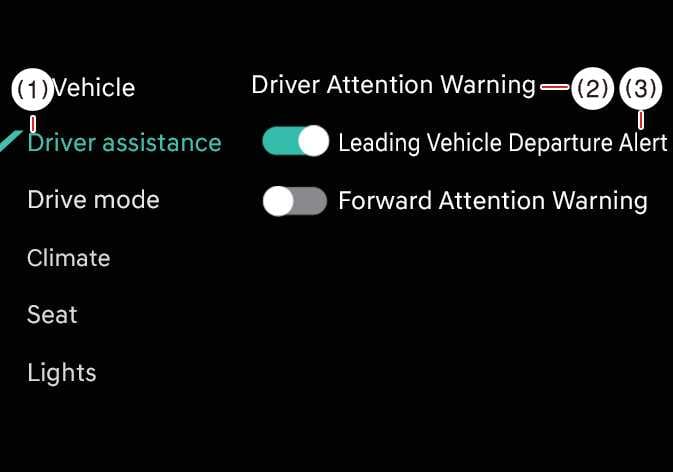 OCL4M055125N |
|
Whilst the vehicle is ON, tap on the infotainment system screen.
-
Leading Vehicle Departure Alert: Driver Attention Warning will inform the driver when a detected vehicle in front departs from a stop.
-
Inattentive Driving Warning: Inattentive Driving Warning of Driver Attention Warning can be turned on or off. (except Europe)
WARNING
If you deselect to turn off the Inattentive Driving Warning, DAW cannot assist you. The driver should always be aware of the surroundings and drive safely.