

Front-view
 OAYI006057R |
 OAYIEV106006R |
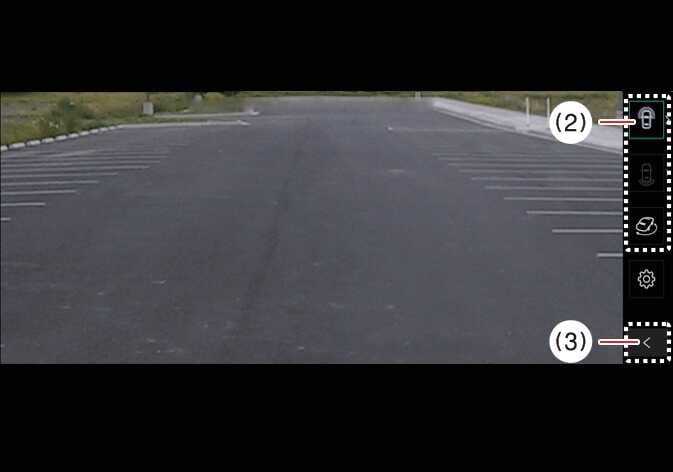
(2) View switching button
(3) back button
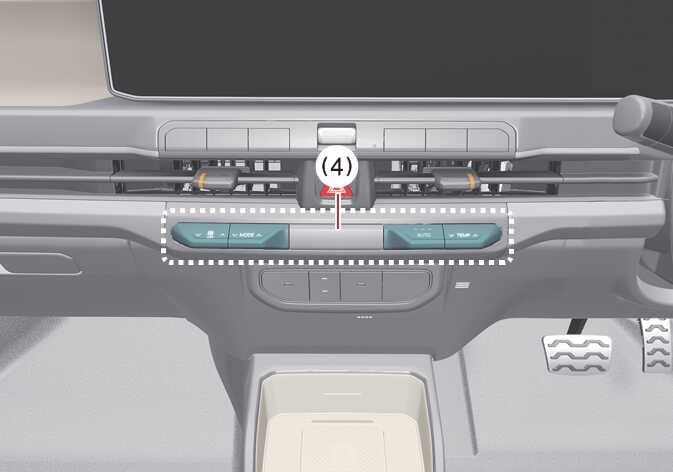
(4) infotainment system operation button
The front-view function assists with safe driving by displaying activity ahead of the vehicle on the navigation system, according to your selected settings.
Operating conditions
The Surround View Monitor’s Front-view function activates when you are parking under the following conditions:
-
Your vehicle’s gear is in P (Park), N (Neutral), or D (Drive) at a speed below 15 km/h (10 mph), and you press the Parking/View button (1).
-
You shift the gear from R (Reverse) to N (Neutral) or D (Drive) at a speed below 15 km/h (10 mph).
-
Forward Parking Distance Warning warns you whilst the gear is set to D (Drive).
*(If you have selected on the infotainment system screen).
Non-operating conditions
Press the view switching button (2) on the Surround View Monitor to select Top View, Front View, Side View, or Wide View.
The Surround View Monitor’s front-view function turns OFF when you are parking under the following conditions:
-
You shift the gear to P (Park) or R (Reverse).
-
You press the Parking/View button (1).
-
You press the back button (3) on the Surround View Monitor screen.
-
You press the infotainment system power button (4).
-
You drive above 15 km/h (10 mph).
When the Surround View Monitor Front View activates, the last view you used displays.