

Using the USB mode
You can play media files stored in portable devices, such as USB storage devices and MP3 players. Check compatible USB storage devices and file specifications before using the USB mode.
Connect your USB device to the USB port in the vehicle.
-
Playback starts immediately.
-
If a USB device is already connected to the system, press the [ MEDIA] button and press the [ 1] button to select USB from the media selection window.
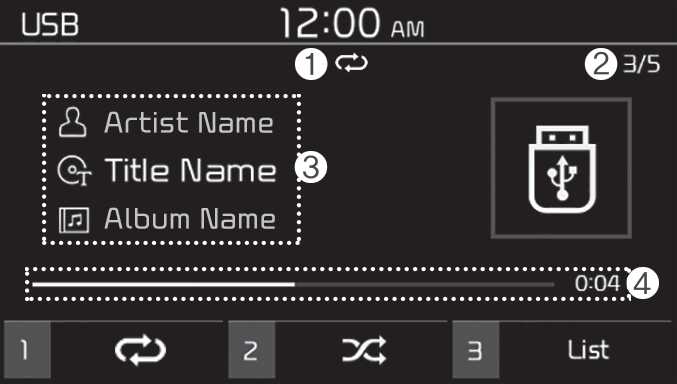
-
Repeat play mode
-
Current file number and total number of files
-
Information about the song currently playing
-
Playback time and playback position
Press the [ MENU] button on the control panel to access the following menu options:
-
Information: Display information about the song currently playing.
-
Sound Settings: Customise the system sound settings.