

Turning Lane Keeping Assist On/Off
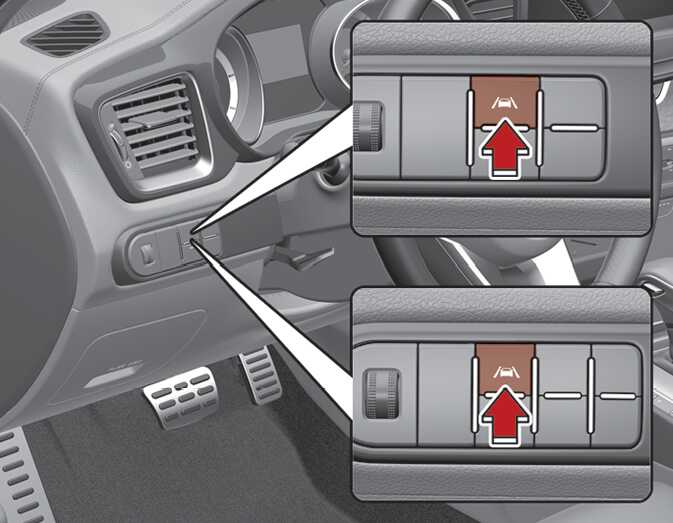
With the ignition switch or ENGINE START/STOP button in the On position, press and hold the Lane Safety button located on the instrument panel to turn on Lane Keeping Assist. The white or green indicator light (
 ) will appear on the cluster. Press and hold the button again to turn off the function.
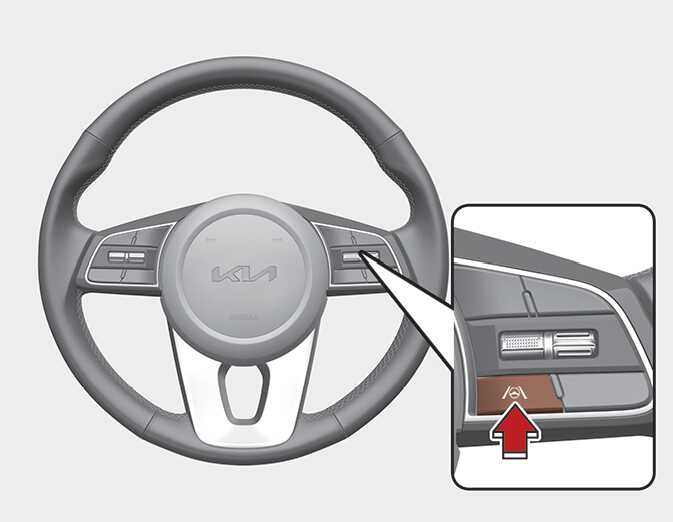
To activate/deactivate Lane Keeping Assist, with the ignition switch or ENGINE START/STOP button in the On position, press and hold the Lane Driving Assist button (
 ) located on the steering wheel to turn off Lane Keeping Assist. Press and hold the button again to turn on the function.
The indicator (
 ) in the cluster display will initially appear white or green. If you pressing and holding the Lane Driving Assist button located on the steering wheel, Lane Keeping Assist will be turned off and the indicator on the cluster display will go off.
When Lane Keeping Assist is turned off with the Lane Driving Assist button, Lane Safety settings will turn off.