

Display and control
When Navigation-based Smart Cruise Control operates, it will be displayed on the cluster as follows:
Navigation-based Smart Cruise Control standby
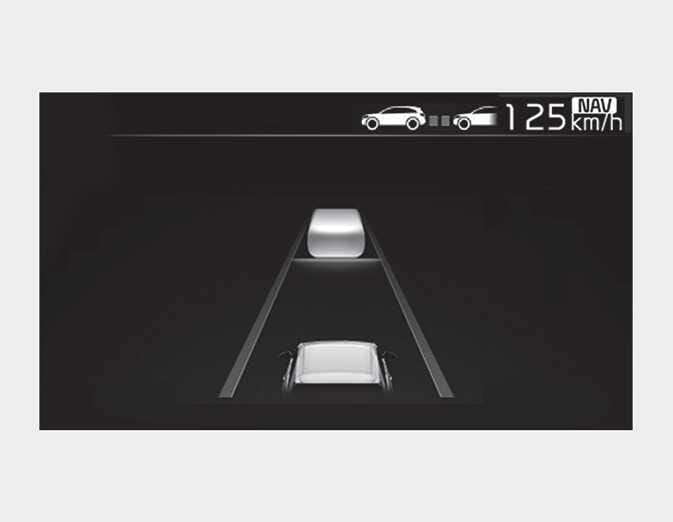
If the operating conditions are satisfied, the white (
 ) symbol will appear.
Navigation-based Smart Cruise Control operating
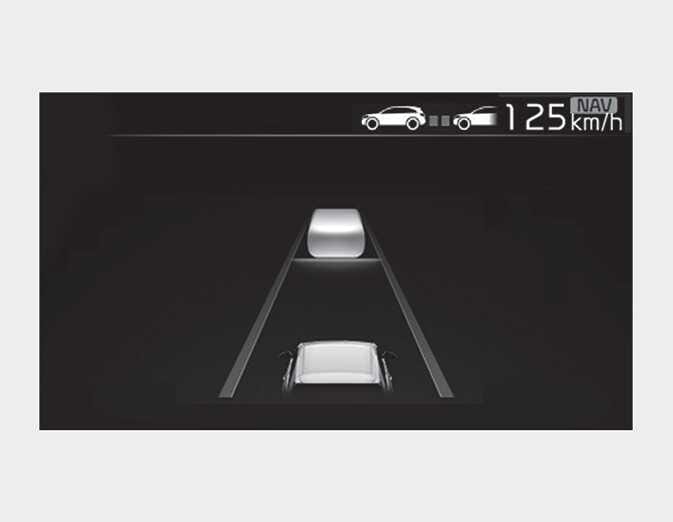
If temporary deceleration is required in the standby state and Navigation-based Smart Cruise Control is operating, the green (
 ) symbol will appear on the cluster.
If the Highway Auto Speed Change function operates, the green (
 ) symbol and green set speed will appear on the cluster, and an audible alarm will sound.
-
'Drive carefully' warning message will appear in the following circumstances:
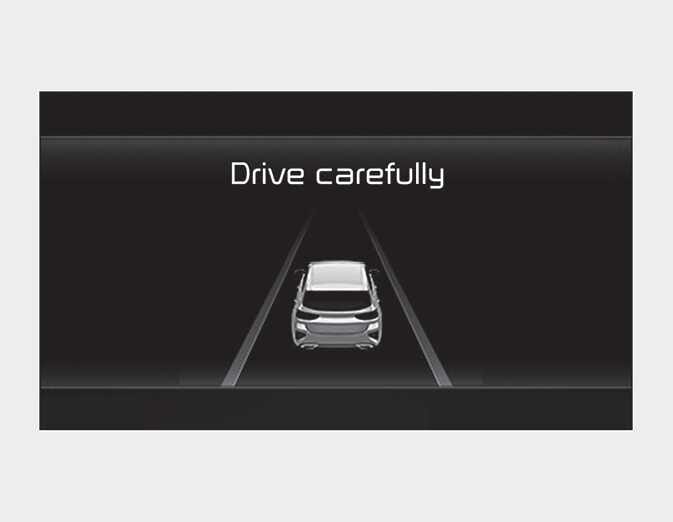 OCD051200L2
 -
Navigation-based Smart Cruise Control is not able to slow down your vehicle to a safe speed.
-
Highway Auto Curve Slowdown and Highway Auto Speed Change function uses the same (
 ) symbol.
-
Depending on the instrument cluster specifications or theme, images or colors may be displayed differently.
Highway Auto Curve Slowdown
Depending on the curve ahead on the highway (or motorway), the vehicle will decelerate, and after passing the curve, the vehicle will accelerate to Smart Cruise Control set speed.
Vehicle deceleration time may differ depending on the vehicle speed and the degree of the curve on the road. The higher the driving speed, the faster the vehicle will decelerate.
Highway Auto Speed Change
indexterm>navigation-based smart cruise control (NSCC) Highway Auto Speed Change function will operate when Smart Cruise Control set speed and the highway (or motorway) speed limit is matched.
While Highway Auto Speed Change function is operating, when the highway (or motorway) speed limit changes, Smart Cruise Control set speed automatically changes to the changed speed limit.
If Smart Cruise Control set speed is adjusted different from the speed limit, Highway Auto Speed Change function will be in the standby state.
If Highway Auto Speed Change function has changed to the standby state by driving on a road other than the highway (or motorway) main road, Highway Auto Speed Change function will operate again when you drive on the main road again. At this time, the set speed does not need to be adjusted.
If Highway Auto Speed Change function has changed to the standby state by depressing the brake pedal press the (
 ) switch to restart the function.
Highway Auto Speed Change function does not operate on highway interchanges or junctions.
-
Highway Auto Speed Change function only operates based on the speed limits of the highway (or motorway), but it does not work with the speed cameras.
-
When Highway Auto Speed Change function is operating, the vehicle automatically accelerates or decelerates when the highway (or motorway) speed limit changes.
-
If the speed limit is higher than the speed limit of the speed camera while Highway Auto Speed Change function is operating, an audible warning may sound.
-
The maximum set speed for Highway Auto Speed Change function to operate is 140 km/h (90 mph).
-
If the speed limit of a new road is not reflected in the navigation, Highway Auto Speed Change function may not operate properly.
-
If the speed unit is set to a unit other than the speed unit used in your country, Highway Auto Speed Change function may not operate properly.