

Driving rear view
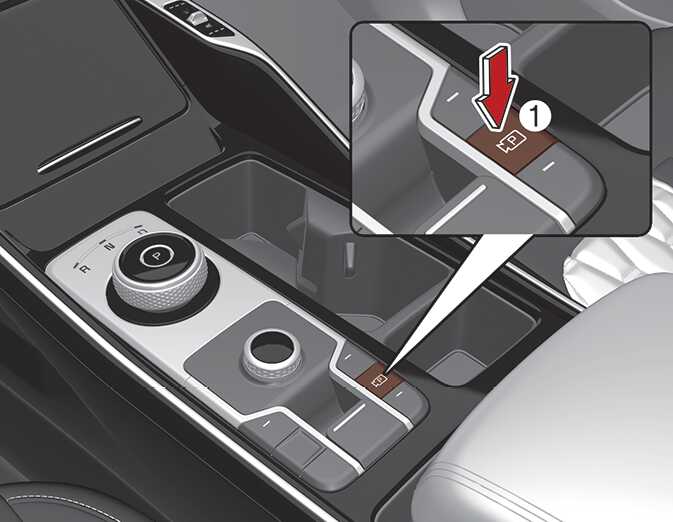
OMQ40400410
OMQ4PH040504L
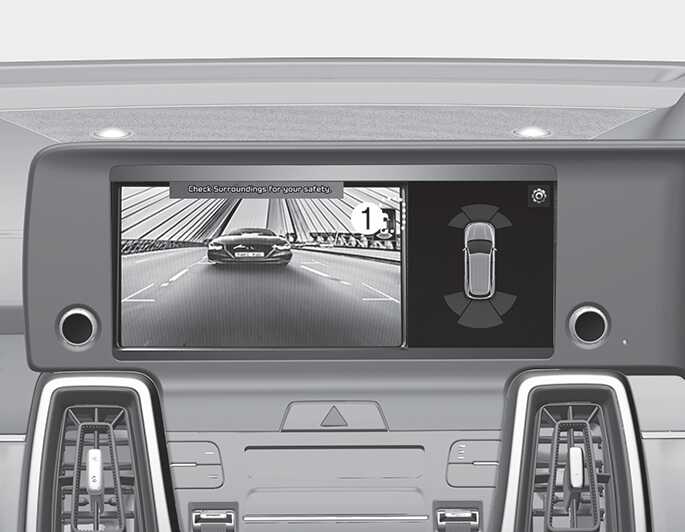
The driver is able to check the rear view on the screen while driving, it is to assist with safe driving.
Operating conditions
-
ENGINE START/STOP button is in the ON position.
-
Parking/View button (1) is pressed with the gear in D (Drive) or N (Neutral).
Off conditions
-
Parking/View button (1) is repressed.
-
One of the infotainment system button (2) is pressed.
When operating
-
If the gear is changed to R (Reverse), while Driving rear view is displayed on the screen, the screen will change to rear view with parking guidance.
-
When Driving rear view is displayed on the screen, an icon will appear on the upper right side of the screen indicating that the rear view is being displayed.