

Locking/unlocking with the smart key
When Approach Unlock is selected.
The doors will unlock when the driver approaches the vehicle possessing the smart key. (Approach unlock system)
Simple operation
-
Select on the infotainment system.
When Approach Unlock is deselected.
Locking
Operation
 N_TK25C015_1 |
|
 N_TK25C016_1 |
|
-
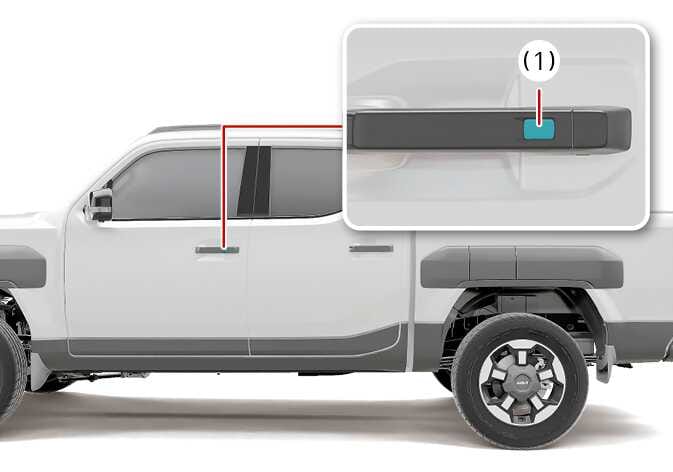
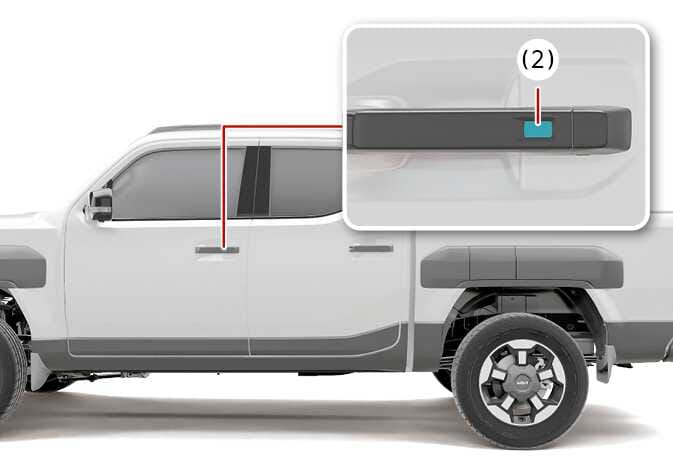
Pressing the button or touching the sensor of the front outside door handles with all doors (and tailgate) closed and any door unlocked, locks all the doors (and tailgate).
-
The hazard warning lights will blink once to indicate that all doors (and tailgate) are locked.
-
The button/sensor will only operate when the smart key is within 0.7~1 m from the front door handle. If you want to make sure that a door has locked or not, you should check the door lock button/sensor inside the vehicle or pull the outside door handle.
-
In some instances, when the outside door button/sensor is pressed the doors will not lock and an audible chime will sound if any of the following occurs:
-
The smart key is in the vehicle.
-
The ENGINE START/STOP button is inthe ACC or ON position.
-
Any door except the tailgate is opened
-
Unocking
|
N_TK25C015_1 |
|
 N_TK25C017_1 |
|
-
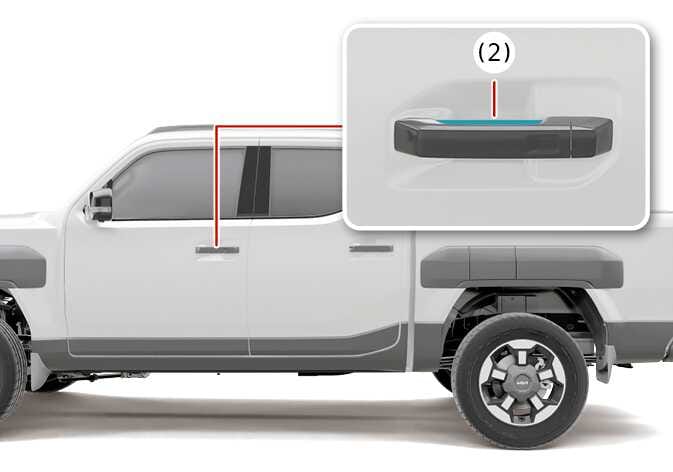
Pressing the button of the front outside door handles(Button type), or the hand is detected in the door handle pocket(Touch type), with all doors (and tailgate) closed and locked, unlocks all the doors (and tailgate).
-
The hazard warning lights will blink twice to indicate that all doors (and tailgate) are unlocked. The button/sensor will only operate when the smart key is within 0.7~1 m from the outside door handle.
When washing the vehicle
Self car wash
-
Keep the door locked with the outside door handle closed.
-
The door might unlock when moisture or a cloth touched lock/unlock sensor. Stay the key away at least 2 m from the vehicle to prevent the outside door handle operates
-
Leave the key inside the vehicle, keeping the vehicle in ACC or ON mode when there is an unintended warning sound.
Auto car wash
-
Enter the auto car washer with the vehicle ON and keep the gear in N (Neutral) position.
-
If the door is closed with strong force or the outside door handle is pulled at high speed, the safety device inside the outside door handle is activated and the door may not be opened even if the door handle is pulled.
At this time, if you pull the outside door handle once more, you can open the door.
-
If Forward Collision-Avoidance Assist (FCA) is activated, the outside door handle may pop out to rescue occupants after a collision. Then, when Forward Collision-Avoidance Assist (FCA) is released, the outside door handle automatically return to their original positions.
