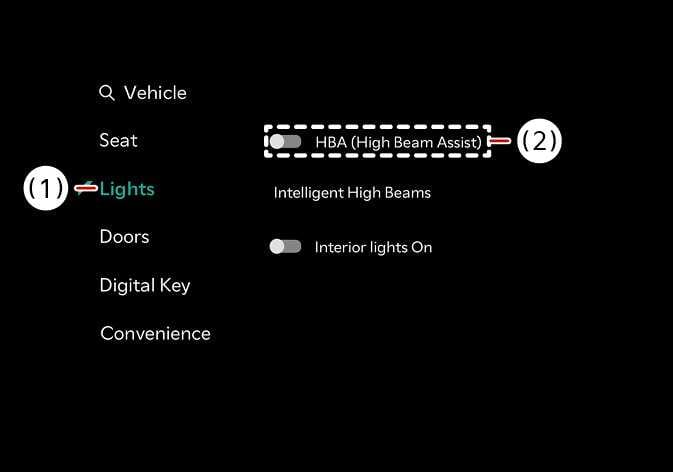
High Beam Assist setting
2026 Kia Tasman High Beam Assist settings screen image. The '(1) Lights' menu is selected and highlighted in teal on the left sidebar. The '(2) HBA (High Beam Assist)' option is enclosed in a dashed box with the toggle switch turned on. Explains the function of enabling the High Beam Assist feature through the vehicle settings menu.
N_TK25Z042_E
  1. Lights

  2. HBA (High Beam Assist)

With the ENGINE START/STOP button in the ON position, select Settings > Vehicle > Lights > HBA (High Beam Assist from the Vehicle Settings menu to turn on High Beam Assist and deselect to turn off the function.

WARNING

For your safety, adjust your high beam settings only after parking the vehicle at a safe location.