

Instrument cluster
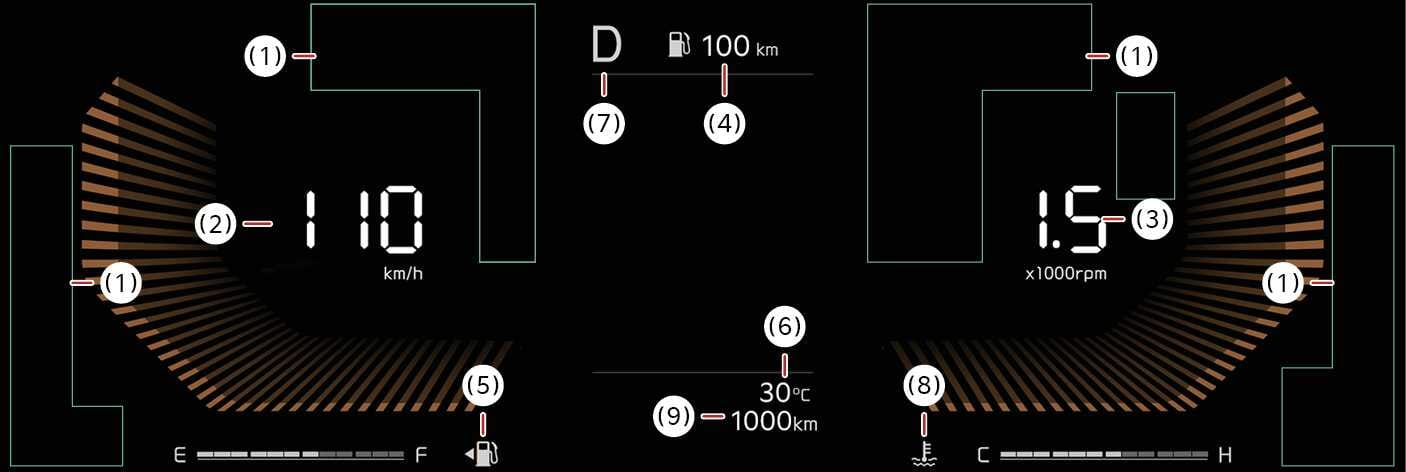
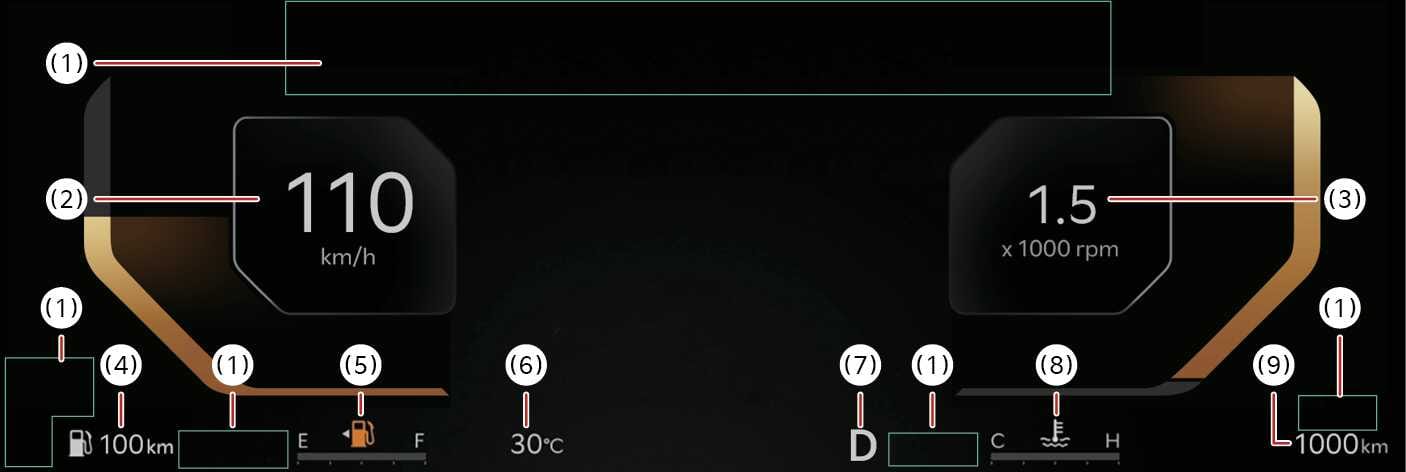
1. Warning and indicator lights
-
Refer to Warning and indicator lights.
2. Speedometer
-
The speed of the vehicle in kilometers per hour (km/h) or miles per hour (mph).
3. Tachometer
-
Refer to LCD display.
4. Distance to empty
-
Estimated distance the vehicle can be driven with the remaining remaining fuel.
5. Fuel gauge
-
The approximate amount of fuel remaining in the fuel tank.
6. Outside temperature gauge
-
The indicator displays the current outside air temperatures by 1°C (1°F).
7. Transmission shift indicator
-
This indicator displays which transmission shift lever is selected.
8. Engine coolant temperature gauge
-
This gauge indicates the temperature of the engine coolant
9. Odometer
-
The odometer indicates the total distance that the vehicle has been driven.
-
The information is displayed after getting information from a weather information provider via GPS. Depending on conditions of GPS reception, the information may be different from the current weather in your area.
-
Be careful while driving as dynamic-themed animation effects can distract the driver and lead to unexpected accidents.
-
If the vehicle is not on level ground or the battery power has been interrupted, the distance to empty function may not operate correctly.
-
The distance to empty may differ from the actual driving distance as it is an estimate of the available driving distance.
-
The distance to empty may vary significantly based on driving conditions, driving habits, and condition of the vehicle.
-
Use a clean soft microfiber cloth to gently wipe any finger prints off the touch screen.
-
The instrument cluster for the right-hand drive vehicle may be on the opposite side show differently.
