

Selecting DRIVE MODE
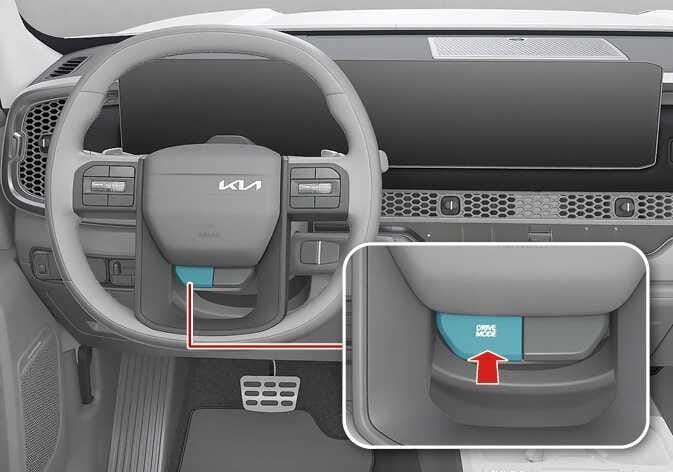 N_TK25E020_1 |
Operation
-
Press the DRIVE MODE button.
-
DRIVE MODE will change to ECO/NORMAL mode when the vehicle is restarted.
|
Mode |
Characteristics |
|---|---|
|
ECO |
Improves fuel economy for eco-friendly driving |
|
NORMAL |
Driving on general roads, city center and highways |
|
SPORT |
Provides sporty but firm riding |
|
MY DRIVE |
Adjusts modes of each driving system |
-
The engine and transmission control logic are changed to maximize fuel efficiency.
-
The ECO indicator will appear
-
Whenever the engine is restarted, the drive mode remains in ECO mode.
-
NORMAL mode provides smooth driving and comfortable riding.
-
The steering effort, the engine and transmission control logic is automatically adjusted for enhanced driver performance.
-
The SPORT indicator will appear.
-
Whenever the engine is restarted, the drive mode sets to NORMAL mode.
-
The engine rpm will tend to remain raised over a certain length of time even after releasing the accelerator.
-
Upshifts are delayed when accelerating.
-
The driver can select separate modes and combine them on the infotainment system screen.
-
ECO/NORMAL mode will be maintained when the vehicle is restarted.
-
If there is a problem with the instrument cluster, the drive mode will be in NORMAL mode and may not change to ECO mode or SPORT mode.
-
Efficiency depends on the driver's driving habit and road condition.
-
In SPORT mode, the fuel efficiency may decrease.
