

Applying AUTO HOLD
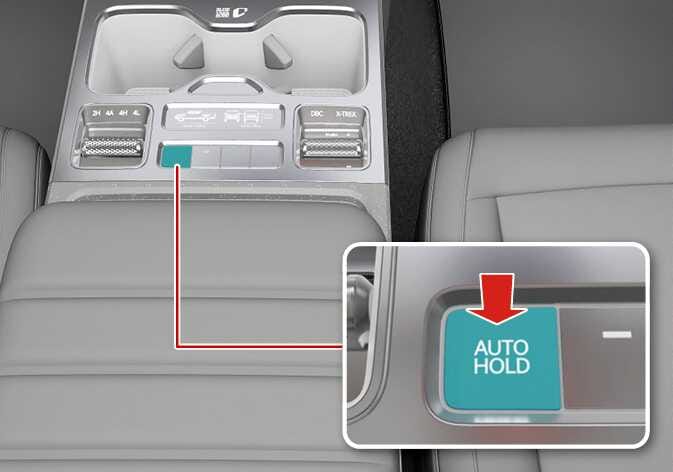 N_TK25D005_1_E |
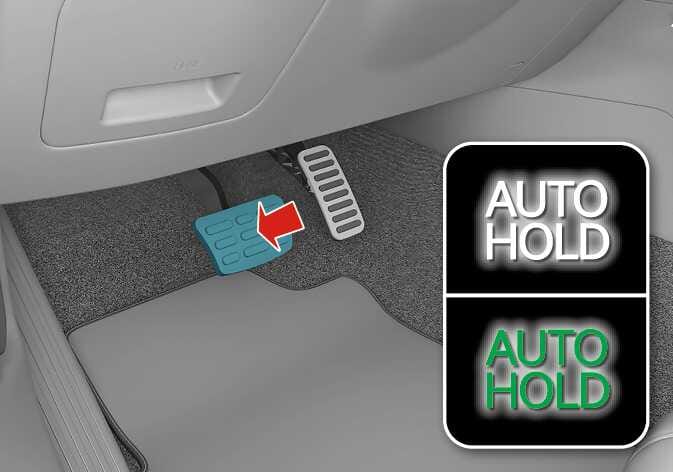 N_TK25D006_2_E |
Operation
-
Press the AUTO HOLD button. The AUTO HOLD indicator will light up in white.
-
The AUTO HOLD indicator changes from white to green when the vehicle is stopped.
-
AUTO HOLD will be released automatically when the accelerator pedal is pressed in D (Drive), R (Reverse), or manual mode. The AUTO HOLD indicator will change from green to white.
-
Press the AUTO HOLD button again while pressing the brake pedal to cancel the AUTO HOLD operation.
Operating condition(s)
-
Brake pedal is depressed after the vehicle has started.
Non-operating condition(s)
-
The vehicle is in P (Park)
-
Electronic Parking Brake (EPB) is applied.
