

Blind-spot safety
 N_TK25Z014_E |
|
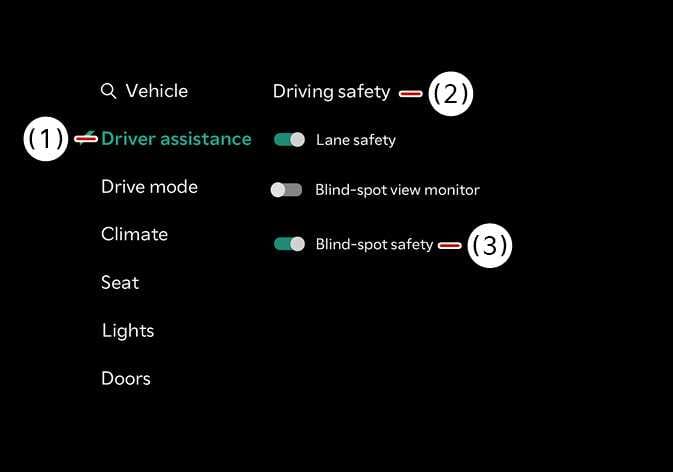
With the vehicle on, select on the infotainment system.
-
Blind-spot safety : Provides a warning when there is a risk of collision with a vehicle approaching from the rear side, and assists with vehicle control during departure to help prevent a collision.
 N_TK25Z015_E |
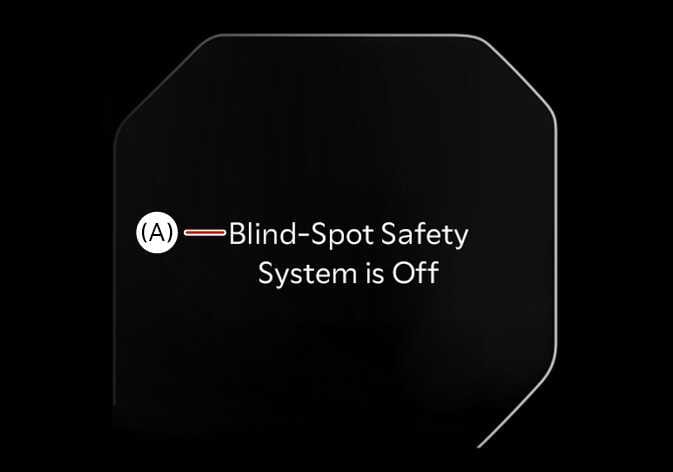
(A): Blind spot safety system is Off |
When activating Blind-Spot Collision-Avoidance Assist or restarting the vehicle with this function activated, the warning light on the outside rear view mirror will appear for approximately 3 seconds.
When the vehicle is restarted with Blind-Spot Collision-Avoidance Assist inactivated, the warning message will appear on the cluster.
-
If Blind-Spot Safety is deselected, the driver should always be aware of the surroundings and drive safely.
-
If a Kia genuine part or function capable of detecting trailer connection is applied, the system may recognize the trailer as connected and some driver assistance functions may be limited. Please refer to the detailed information in Driver assistance system limitations on page 436, and always drive with caution.
If the vehicle is restarted, Blind-Spot Collision-Avoidance Assist will maintain the last setting.
