

Driver Attention Warning settings
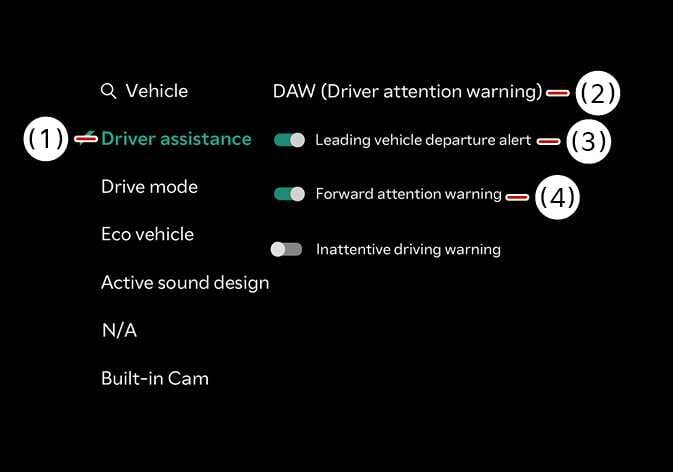 N_TK25Z019_E |
|
With the vehicle on, select on the infotainment system.
-
Leading vehicle departure alert : Driver Attention Warning will inform the driver when a detected vehicle in front departs from a stop.
-
Inattentive Driving Warning: Enables the Inattentive driving warning
WARNING
For Australia and Russia
When you turned off and restarted the vehicle, Inattentive Driving Warning function always turns on automatically. You can turn off the function by deselect the settings. In this case, you cannot get help from Inattentive Driving Warning function. Always drive carefully.
