Forward attention warning

2026 Kia Tasman infotainment system settings screen image. The 'Driver assistance' menu (1) is selected on the left. The 'DAW (Driver attention warning)' (2) and 'Forward attention warning' (3) options are displayed with toggle switches on the right. Explains the settings to activate the Forward Attention Warning function.
N_TK25Z020_E
  1. Driver assistance

  2. DAW (Driver Attention Warning)

  3. Forward attention warning
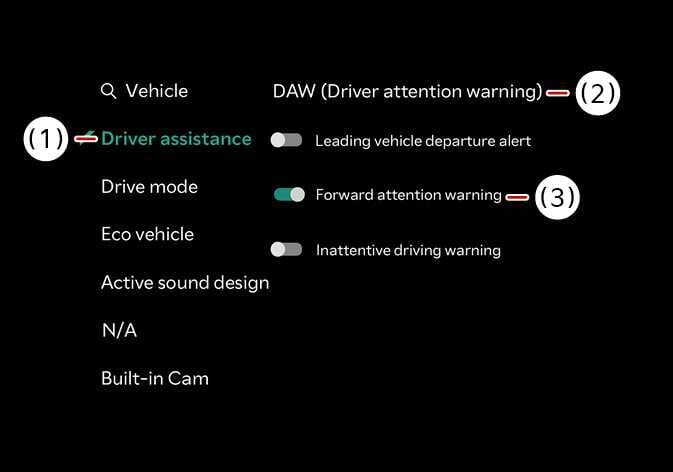
With the vehicle on, select Settings > Vehicle > Driver assistance > DAW (Driver Attention Warning) > Forward attention warning in the infotainment system to set whether to use the function.

  • Forward attention warning : It will warn the driver when the driver's gaze is not focused on the road.

TIP

Forward Attention Warning will always turn on when the vehicle restarts.
