Blind-Spot View

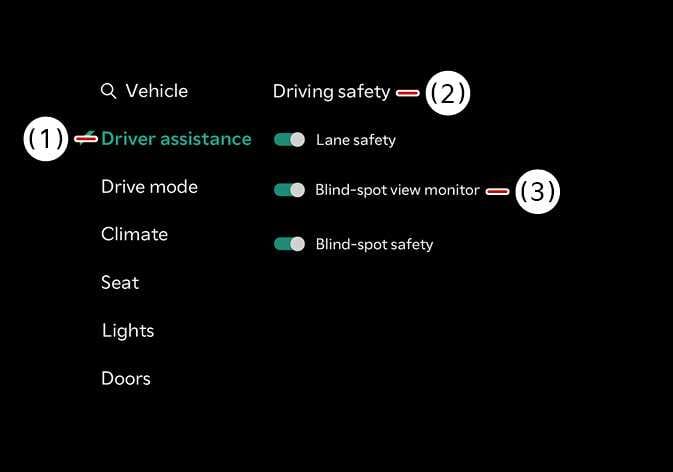
2026 Kia Tasman Blind-Spot View Monitor settings screen image. The infotainment display shows the 'Driver assistance' menu highlighted in teal text. Red lines connect callout numbers to the interface elements: (1) indicates the Driver assistance menu, (2) marks the Driving safety section, and (3) points to the Blind-spot view monitor toggle switch. This describes the function of activating the Blind-Spot View Monitor.
N_TK25Z021_E
  1. Driver Assistance

  2. Driving Safety

  3. Blind-spot view monitor

With the vehicle on, select Settings > Vehicle > Driver assistance > Driving safety > Blind-spot view monitor from the infotainment system screen to turn on Blind-Spot View Monitor and deselect to turn off the function.
