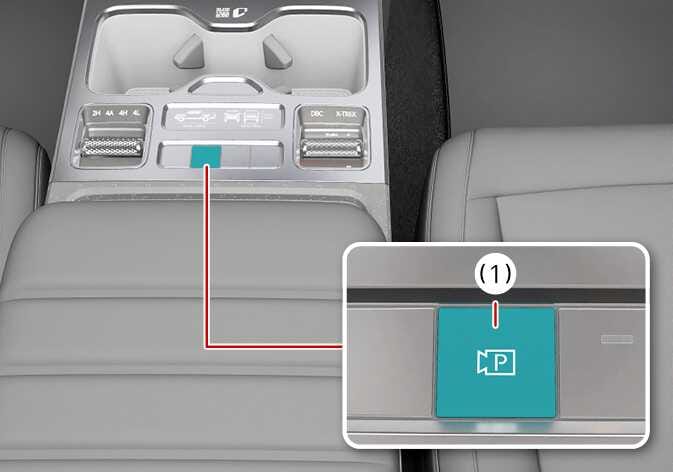
Parking/View button

2026 Kia Tasman Parking/View button image. The center console is displayed with the Parking/View button highlighted in teal. A red line connects to a magnified view of the button labeled (1), which features a camera icon with the letter P inside a square. Explains the function of turning on the Surround View Monitor.
N_TK25E102_1
  1. Parking/View (2026 Kia Tasman Parking/View button icon. A black outline of a video camera symbol containing the letter 'P'. Indicates the function to activate the Surround View Monitor.) button

Press the Parking/View button (1) to turn on Surround View Monitor.

Press the button again to turn off the function.