

Auto set speed change (if equipped with the navigation)
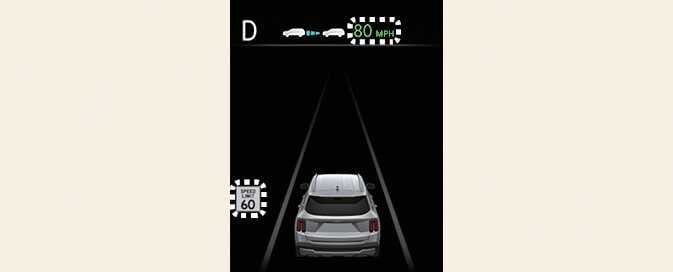
When operating Manual Speed Limit Assist or Smart Cruise Control, if the speed set by the driver is the same as the speed limit on the road, the set speed is automatically adjusted accordingly the speed limit afterwards. The auto set speed change function operates on roads with a speed limit of above 45 mph (70 km/h). When the function is activated, the set speed on the instrument cluster is displayed in green.
-
When driving at a speed lower than the speed limit, set the offset under '0', or press (-) switch to decrease your set speed.
-
Even after changing the set speed according to the speed limit of the road, the vehicle can still be driven over the speed limit. If necessary, depress the brake pedal to reduce your speed.
-
If the posted speed limit is under 20 mph (30 km/h), the set speed change and auto set speed change function will not work.
-
Intelligent Speed Limit Assist operates using the speed unit in the instrument cluster set by the driver. If the speed unit is set to a unit other than the speed unit used in your country, Intelligent Speed Limit Assist may not operate properly. (Except Australia/Russia)
-
For more details on Manual Speed Limit Assist operation, refer to Manual Speed Limit Assist (MSLA).
-
For more details on Smart Cruise Control operation, refer to Smart Cruise Control (SCC).