

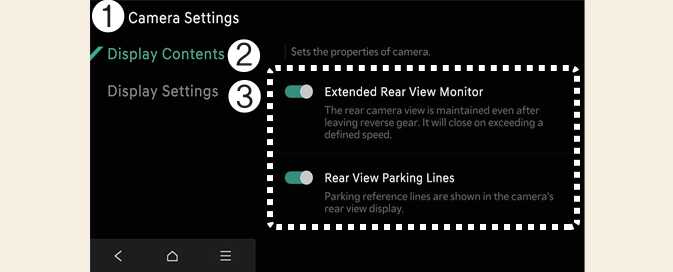
Camera Settings
OMV033139N0
-
Camera Settings
-
Display Contents
-
Display Settings
With the vehicle on, select the setup icon (
 ) on the screen or
Setup →
Vehicle →
Driver Assistance →
Parking Safety →
Camera Settings from the infotainment system screen to change the Rear View Monitor settings.
) on the screen or
Setup →
Vehicle →
Driver Assistance →
Parking Safety →
Camera Settings from the infotainment system screen to change the Rear View Monitor settings.
-
Display Contents: Specify information that will be displayed on the parking assistance screen.