
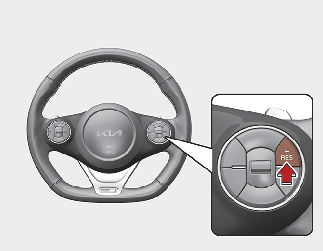
Increasing Smart Cruise Control set speed
-
Push the RES+ button, and hold it. Your vehicle set speed will increase by 10 km/h (5 mph). Release the lever at the speed you want.
-
Push the RES+ button, and release it immediately. The cruising speed will increase by 1.0 km/h (1.0 mph) each time you Push the RES+ button in this manner.
Follow either of these procedures:
You can set the speed to a maximum speed of 160 km/h (100 mph). However, all speed limit laws must be followed.

CAUTION
Check the traffic and driving conditions before using the button. Driving speed may sharply increase, when you push up and hold the toggle switch.