
LCD display control
The LCD display modes can be changed by using the control buttons on the steering wheel.
-
Type A
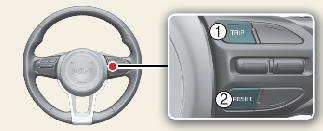
-
TRIP: TRIP button for changing modes.
-
RESET: RESET button for resetting the selected item.
-
Type B
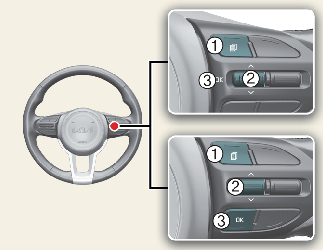
-
 : MODE button for change the LCD MODES
-
∧/∨: MOVE scroll switch for select the items
-
OK: SET/RESET button for set the items or reset the items