
Lighting control
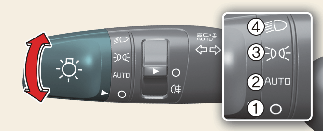
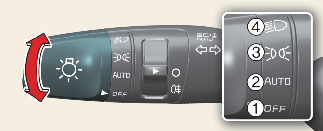
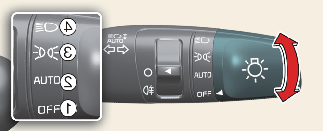
The light switch has a Headlight and a Parking light position.
To operate the lights, turn the knob at the end of the control lever to one of the following positions:
-
OFF (O): Off position
-
AUTO: Auto light position (if equipped)
-
 : Position & Tail lamp
-
 : Head light
Position & Tail lamp ()
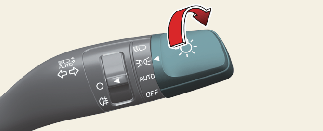
When the light switch is in the parking light position (3rd position), the tail position, license and instrument panel lights will turn ON.
Headlight position ()
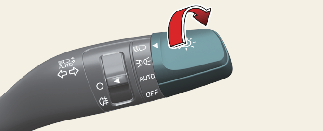
When the light switch is in the headlight position (4th position), the head, tail, position, license and instrument panel lights are ON.

The ignition switch must be in the ON position to turn on the headlights.
Auto light position (if equipped)
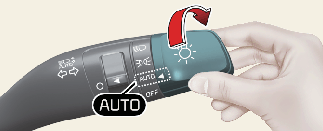
When the light switch is set to AUTO and vehicle is ON postion, the light turns ON or OFF depending on the ambient brightness detected by the sensor.
The auto light is an auxiliary function for the driver. The driver is responsible for operating the headlights for safety. We recommend that you turn on the lights manually when visibility conditions are poor. (e.g. tunnels, underground parking lots, bad weather conditions)

-
Never place anything over sensor (1) located on the instrument panel, this will ensure better auto-light system control.
-
In fog, snow, rain, and cloudy weather, the vehicle's illuminance is not always constant, so the time it takes to turn on and off may vary depending on the climate, season, and surrounding environment.
-
Don’t clean the sensor using a window cleaner, the cleanser may leave a light film which could interfere with sensor operation.
-
If your vehicle has window tint or other types of metallic coating on the front windscreen, the Auto light system may not work properly.