
Intelligent Speed Limit Assist settings
Speed Limit
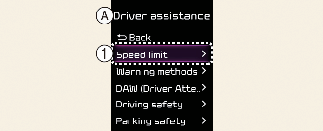
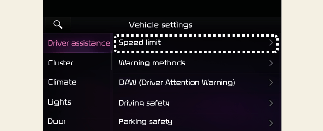
A: Driver assistance
-
Speed limit
With the vehicle on, select User settings → Driver assistance → Driving safety → Speed limit on the instrument cluster, or select Settings → Vehicle → Driver assistance → Speed limit on the infotainment system.
-
Country selection: If navigation is not enabled, you can manually select the country from the menu. Please select the country you are currently driving in for proper functionality (if equipped).
-
Speed limit assist: Intelligent Speed Limit Assist will inform the driver of speed limit and additional road signs, and warn the driver when the vehicle is driven faster than the speed limit. In addition, Intelligent Speed Limit Assist will inform the driver to change set speed of Manual Speed Limit Assist to help the driver stay within the speed limit.
-
Speed limit warning: Intelligent Speed Limit Assist will inform the driver of speed limit and additional road signs. In addition, Intelligent Speed Limit Assist will warn the driver when the vehicle is driven faster than the speed limit.
-
Speed limit Information: Provides information on speed limits and additional signs.
-
Off: Intelligent Speed Limit Assist will turn off. Intelligent Speed Limit Assist warning light (
 ) will appear on the cluster.

When you turn off and restart the vehicle, the speed limit warning will automatically turn on. Be sure to park in a safe place before setting Intelligent Speed Limit Assist.
Warning Methods
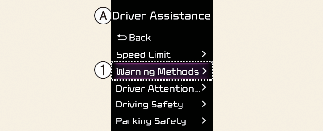
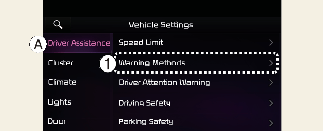
A: Driver assistance
-
Warning methods
The Warning Methods can be set with the vehicle on. Select User settings → Driver assistance → Warning methods from the settings menu in the instrument cluster or Settings → Vehicle → Driver assistance → Warning methods from the settings menu in the infotainment system to change the following settings:
-
Warning volume: Adjusts the volume of the warning sound.

-
If you change the Warning Methods, it can be applied to each function of the driver assistance system. Please check and change it in each function.
-
If the vehicle is restarted, Warning Methods will maintain the last setting.
-
The setting menu may not exist based on vehicle specification.