

Parking Collision-Avoidance Assist
If Parking Collision-Avoidance Assist detects a risk of collision around the vehicle with a pedestrian or an object, it will warn the driver with an audible warning, steering wheel vibration, and warning message on the instrument cluster. When the rear monitor is activated, a warning message will also appear on the infotainment system. Emergency braking will operate in a collision-imminent situation.
Parking Collision-Avoidance Assist operates for the front and sides when in D (Forward), and for the sides and rear when in R (Reverse).: (if equipped)
Forward/Side Safety Function: (if equipped)
Forward/Side Parking Collision-Avoidance Assist system may operate when the following conditions are met:
-
Forward/Side Safety has been selected in the Parking Safety Settings Menu of the Infotainment System
-
The tailgate and doors are closed
-
Electronic parking brake (EPB) has been turned off
-
Shifting into R (Reverse) or D (Drive)
-
Driving at 4 km/h (2.5 mph) or less (for pedestrians and objects)
-
Parking Collision-Avoidance Assist components such as the Wide view camera and the ultrasonic sensors are in normal conditions
The braking control is released approximately 2 seconds after shifting to D (Forward). Immediately press the brake pedal and check the surroundings. The braking control is also released in the following situations:
-
Shifting to P (Parking) or R (Reverse)
-
Applying sufficient force to the brake pedal
Rear Safety Functions
Reverse Parking Collision-Avoidance Assist system may operate when the following conditions are met:
-
The tailgate and doors are closed
-
Electronic parking brake (EPB) has been turned off
-
Shifting into R (Reverse)
-
Driving at 10 km/h (6.2 mph) or less (for pedestrians)
-
Driving at 4 km/h (2.5 mph) or less (for objects)
-
Parking Collision-Avoidance Assist components such as the wide-rearview camera and the rear ultrasonic sensors are in normal conditions
The braking control is released approximately 5 minutes later. Before it is released, press the brake pedal and check the surroundings. The braking control is also released in the following situations:
-
Shifting to P (Parking) or D (Forward)
-
Applying sufficient force to the brake pedal
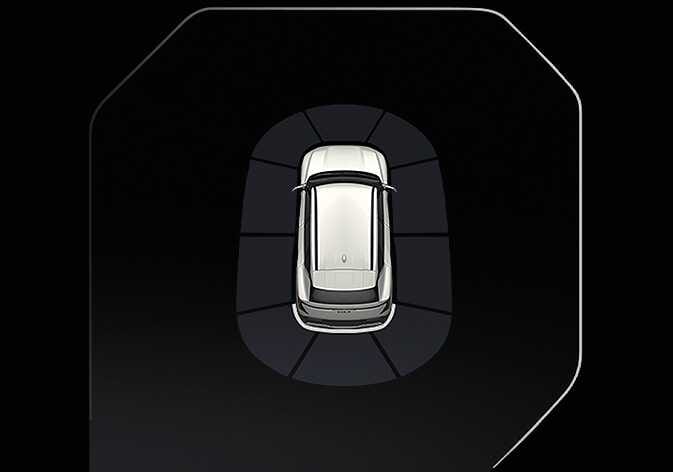 OOV055141 |
When Parking Collision-Avoidance Assist activates, a line appears behind the vehicle image in the instrument cluster. |