

Turning Lane Keeping Assist ON and OFF
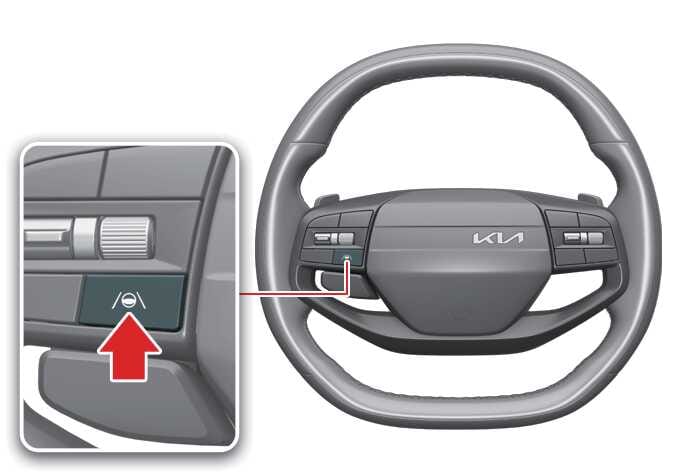 OSVM106028L |
To turn Lane Keeping Assist ON or OFF, press and hold the Lane Driving Assist ( ) button on the steering wheel while the vehicle is ON.
The gray or green indicator ( ) appears on the instrument cluster if you turn ON Lane Keeping Assist.
-
If Lane Keeping Assist is on standby, the gray indicator (
) appears on the instrument cluster. -
If Lane Keeping Assist is on, the green indicator (
) appears on the instrument
cluster.
Automatic Activation
Lane Keeping Assist automatically turns on in the following situations:
-
When both Lane Following Assist (LFA) and Smart Cruise Control (SCC) are activated.
-
When Highway Driving Assist (HDA) is activated.: (if equipped)
If Lane Keeping Assist is automatically turned on under these conditions, attempting to turn off Lane Keeping Assist will display a warning, and Lane Keeping Assist will not turn off.
-
Lane Keeping Assist will return to the previously set state when the driving assistance functions are turned off.
-
To turn off Lane Keeping Assist, temporarily deactivate Smart Cruise Control or turn off the driving assistance functions by pressing the Lane Keeping Assist or Driving Assist button, then try again.