

Warning Methods
 N_CT25_C00_023_A |
|
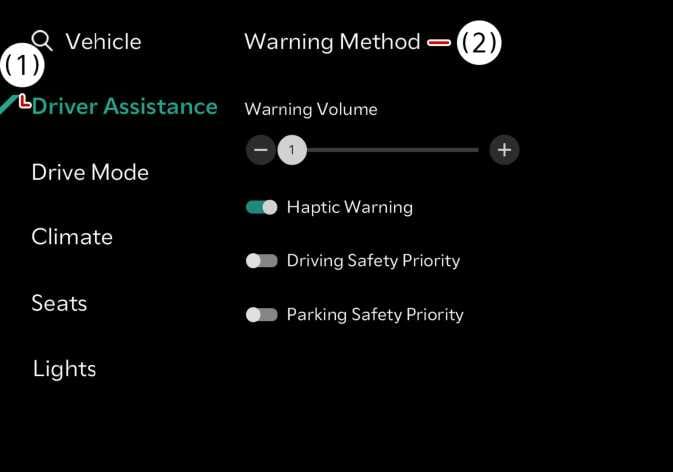
Warning methods can be set with the vehicle on. Select Settings > Vehicle > Driver assistance > Warning methods (  ) from the settings menu in the infotainment system to change the following settings:
-
Warning volume: Adjusts the volume of the warning sound.
-
Haptic warning: Activate the steering wheel vibration warning.
-
Blind-Spot Safety Warning Sound: Blind-Spot Safety Warning Sound can be turned off separately.
-
Driving safety priority: Lowers all other audio volumes when the Driving Safety system sounds a warning.
-
Check if Warning methods you have set are also applied to the Warning methods of other driver assistance systems.
-
Warning methods will maintain its last setting even if the vehicle is restarted.
-
The setting menu may not be available for your vehicle depending on the vehicle features and specifications.