

Safe Exit
 OCL4M055122N |
|
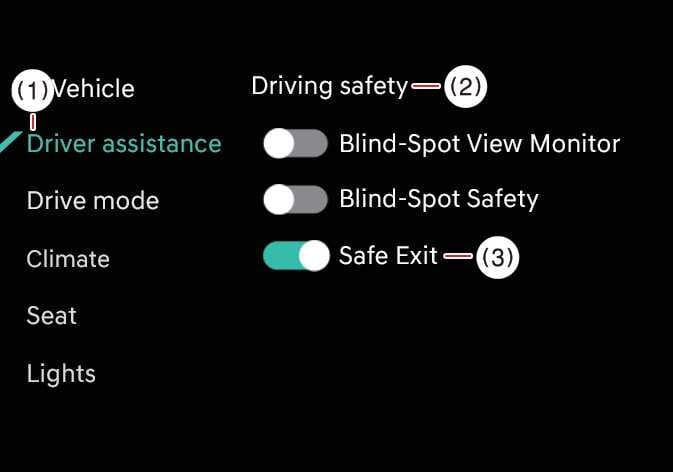
While the vehicle is ON, tap on the infotainment system screen.
-
If you deselect Safe Exit, Safe Exit Warning cannot warn you. You should always be aware of your surroundings.
-
Do not use the system when towing a trailer or another vehicle, or when a carrier or other equipment that affects sensor operation or vehicle balance is installed, as it may not operate properly.
-
When connecting a trailer or carrier, set the trailer or carrier menu (if equipped). If the driver manually sets the menu or the trailer or carrier connection is automatically recognized through genuine parts, the functions of the driver assistance system may be limited. Please refer to Driver assistance system limitations when connecting a trailer and always drive with caution.
If you restart the vehicle, Safe Exit Warning maintains its last setting.