

Highway Driving Assist settings
 OOV005053N |
|
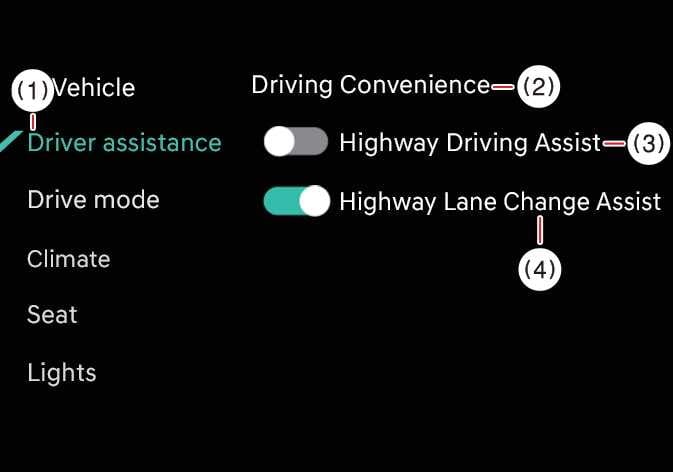
While the vehicle is ON, tap on the infotainment system screen to set options for each function.
-
If Highway Driving Assist is selected, it helps maintain distance from the vehicle ahead, maintain the set speed, and helps center the vehicle in the lane.
-
If Highway Lane Change Assist is selected, it helps change lanes safely.: (if equipped)
-
For your safety, change the settings only after parking the vehicle at a safe location.
-
Do not use the system when towing another vehicle or when installing equipment that may affect sensor performance or vehicle balance. The system may not operate properly.
-
If the trailer connection is automatically recognized through genuine parts, the functions of the driver assistance system may be limited. Please refer to "Driver assistance system limitations when connecting a trailer" on page 799 and always drive with caution.
-
When using a Kia genuine Trailer Kit and the connector is plugged into your vehicle, Highway Driving Assist automatically turns OFF. In this case, you cannot get help Highway Driving Assist. Pay extra attention when you drive while the function is inactive. (A Kia genuine Trailer Kit can determine whether a trailer is connected.)
-
To use Highway Lane Change Assist, Highway Driving Assist must be active.
-
If there is a problem with the Highway Lane Change Assist function, you cannot change the settings and should have the function inspected by an authorized Kia dealer.
-
The Highway Driving Assist and Highway Lane Change Assist functions maintain their last settings when you restart the vehicle.