Utility information view

LCD displays

Displayed contents

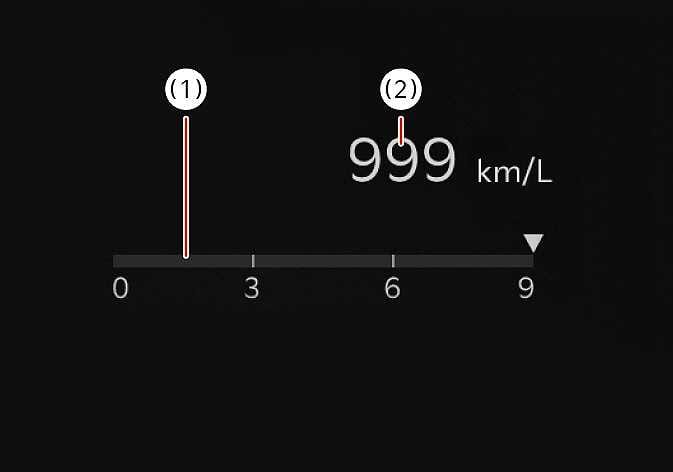
2026 Kia Tasman utility information view image. The screen displays a horizontal gauge with a scale of 0 to 9. A vertical red line (1) on the gauge indicates the average fuel economy, while the numeric value '999 km/L' (2) represents the instant fuel economy. Explains the fuel economy display system.
N_TK25Z047
  1. Average fuel economy

  2. Instant fuel economy

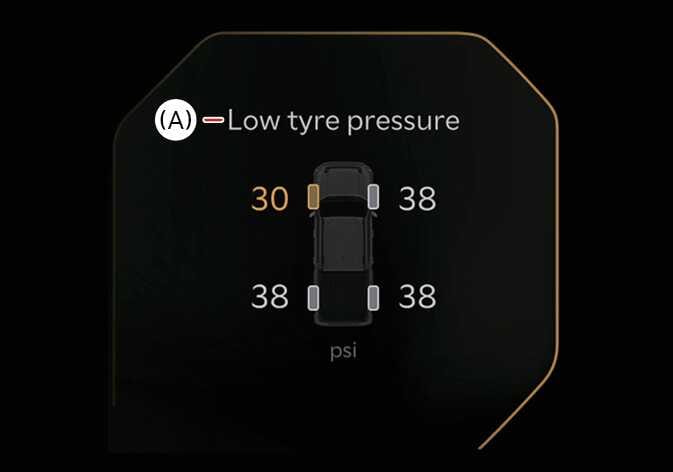
2026 Kia Tasman utility information view image. The display shows the text 'Low tyre pressure' indicated by callout (A). A vehicle graphic presents tire pressure values in psi, where the front left value '30' and its corresponding tire icon are highlighted in orange, contrasting with the white '38' for normal tires. This describes the function of alerting the driver to low tire pressure conditions.
N_TK25Z072_E

(A): Low tire pressure

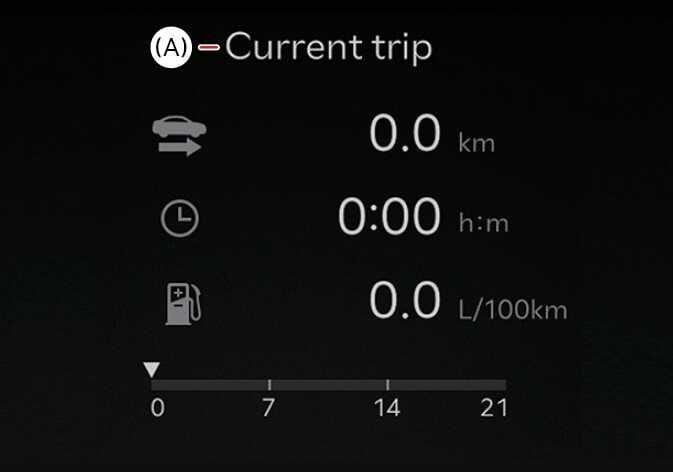
2026 Kia Tasman Current trip information screen image. The display titled '(A) Current trip' shows '0.0 km' for distance, '0:00 h:m' for time, and '0.0 L/100km' for fuel economy with corresponding icons. A bar graph at the bottom displays fuel consumption. This explains the layout of the current trip information view.
N_TK25Z077_E

(A): Current trip

The driver's door is opened after turning off the vehicle or the vehicle is turned on after 3 minutes have passed, the Drive Info screen will reset.

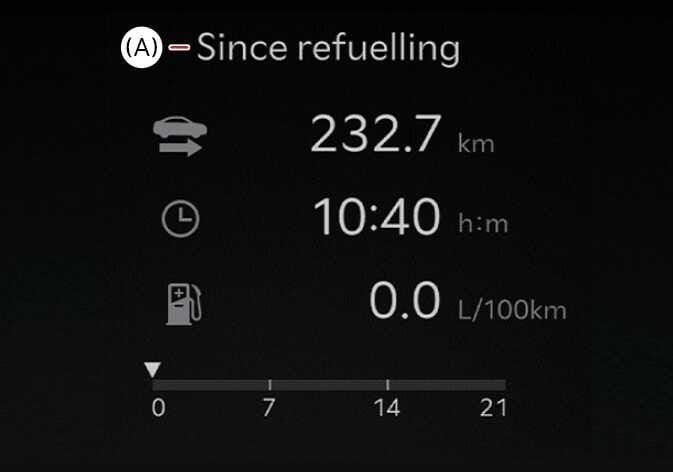
2026 Kia Tasman Since refuelling display image. The screen shows the title '(A) Since refuelling' followed by driving distance '232.7 km', driving time '10:40 h:m', and average fuel economy '0.0 L/100km' with corresponding icons. A fuel economy gauge is displayed at the bottom. This describes the function of showing driving information accumulated after refuelling.
N_TK25Z076_E

(A): Since refuelling

The information after refuelling.

To manually reset the information, press and hold the OK button when viewing the Since refuelling .

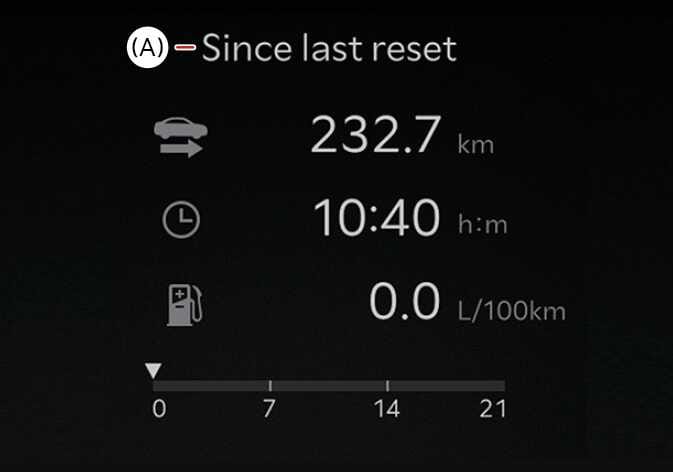
2026 Kia Tasman LCD display image showing the 'Since last reset' screen. It displays driving distance '232.7 km', time '10:40 h:m', and fuel economy '0.0 L/100km' with corresponding icons, marked with (A). It explains the function of displaying accumulated driving data since the last reset.
N_TK25Z075_E

(A): Since last reset

The information is accumulated starting from the last reset.

To manually reset the information, press and hold the OK button when viewing the Since last reset.

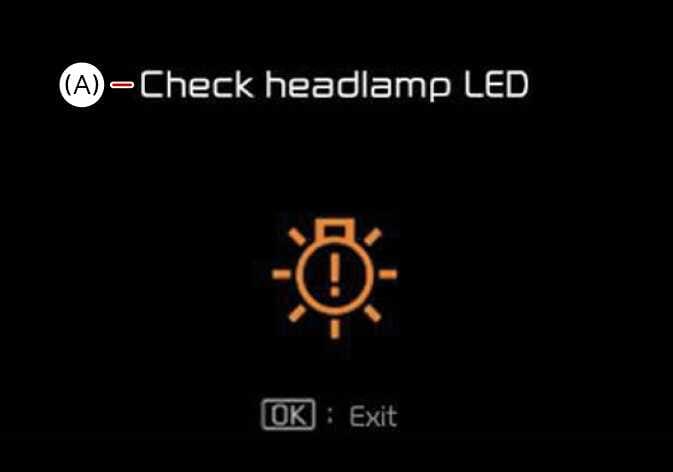
2026 Kia Tasman instrument cluster display image. The screen displays the text '(A) - Check headlamp LED' and a central orange light bulb icon with an exclamation mark. It explains the warning message alerting the driver to a headlamp LED malfunction.
N_TK25Z046_E

(A):Check headlamp LED

This mode informs you of the following situations:

  • Driver assistance system malfunction, limitation or radar/camera blockage, LED headlamp malfunction, lamp malfunction, TPMS failure, low tire pressure, etc.

At this time, a Master Warning icon (2026 Kia Tasman Master Warning Light icon. It features a black triangle outline containing a black exclamation mark in the center. This symbol alerts the driver to a system malfunction or caution condition.) will appear on the LCD display. If the warning situation is solved, the master warning light will be turned off and the master warning icon will disappear.

2026 Kia Tasman Master Warning Light icon image. A yellow triangle symbol containing an exclamation mark is displayed on a black background, with partial brown and teal-colored graphic lines visible on the left. It functions to alert the driver to a vehicle system warning or caution condition.
OMV033029L

At this time, a Master Warning icon (2026 Kia Tasman Master Warning Light icon. It displays a black triangle with an exclamation mark in the center. It functions to alert the driver to a system malfunction or caution requiring attention.) will appear in the lower right corner on the LCD display. If the warning situation is solved, the master warning light will be turned off and the Master Warning icon will disappear.

This mode informs you of the following situations:

  • Driver assistance system malfunction, limitation or radar/camera blockage

  • LED headlamp malfunction

  • Lamp malfunction

  • TPMS failure, low tire pressure, etc.

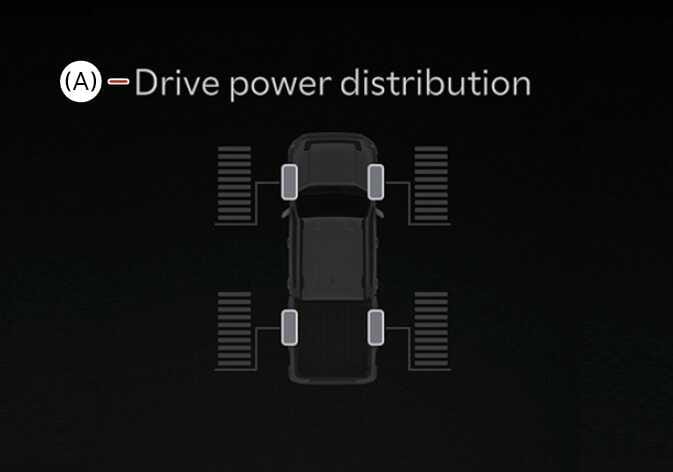
2026 Kia Tasman utility information view image. A top-down view of the vehicle is displayed with bar graphs next to each of the four wheels indicating power levels. The text '(A) - Drive power distribution' is shown at the top. Explains the function of displaying the real-time drive power distribution to each wheel.
N_TK25Z073_E

(A): Drive power distribution

This mode displays information related to Driving force distribution.

NOTE
  • The vehicle must be driven for a minimum of 300 meters (0.19 miles) since the last cycle before the accumulated driving information is recalculated.

  • The average fuel economy is not displayed for more accurate calculation if the vehicle does not drive more than 10 seconds or 50 meters (0.03 miles) since the ENGINE START/STOP button is turned to ON.