

Display and control
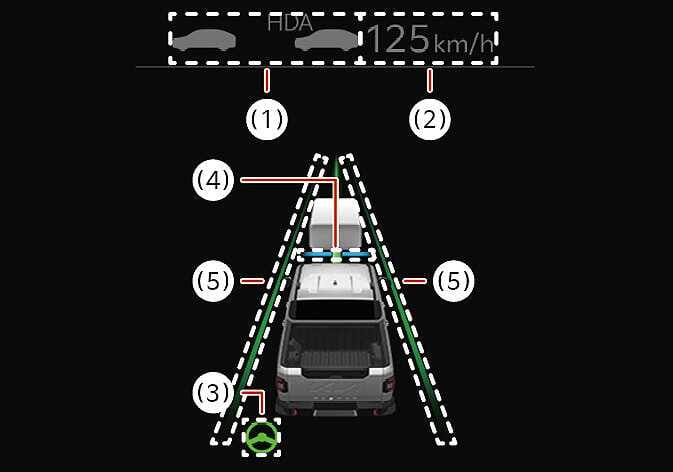
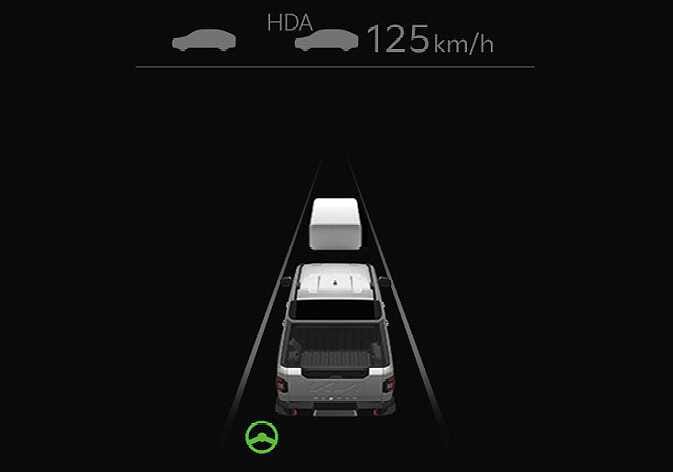
You can see the status of the Highway Driving Assist operation in the Driving Assist view on the cluster. Refer to LCD display modes .
 N_TK25Z090 |
 N_TK25Z091 |
Highway Driving Assist will be displayed as below depending on the status of the function.
-
Highway Driving Assist indicator, whether there is a vehicle ahead and the selected distance level is displayed.
-
Highway Driving Assist indicator
-
Green HDA : Operating state
-
Gray HDA : Standby state
-
White HDA blink: Accelerator depressed state
-
None: Off state
-
-
-
Set speed
-
Lane Following Assist indicator
-
Whether there is a vehicle ahead and the selected headway
-
Whether the lane is detected or not
-
For more details on the display, refer to Lane Following Assist (LFA) .
For more details on the display refer to SCC (Smart Cruise Control) .
-
The images and colors in the instrument cluster may differ depending on the cluster type or theme selected from the settings menu.
