

Indicator lights
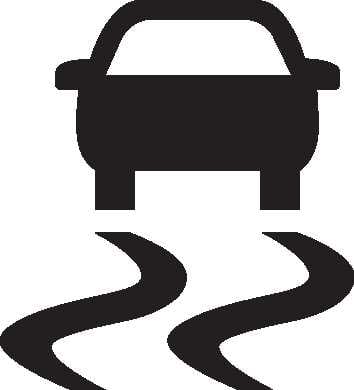
Electronic stability control (ESC) indicator light
-
Once you set the ENGINE START/STOP Button to the ON position.
-
It appears for approximately 3 seconds and then goes off.
-
-
When there is a malfunction with the ESC system.
Have the vehicle inspected by an authorized Kia dealer.
While the ESC is operating.
For more details, refer to Electronic Stability Control (ESC) system.
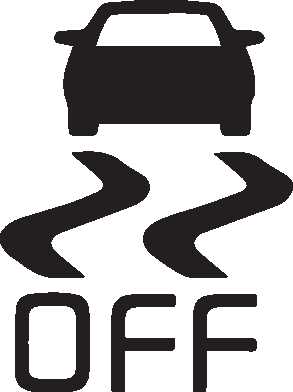
Electronic stability control (ESC) OFF indicator light
-
Once you set the ENGINE START/STOP Button to the ON position.
-
It appears for approximately 3 seconds and then goes off.
-
-
When you deactivate the ESC system by pressing the ESC OFF button.
For more details, refer to Electronic Stability Control (ESC) system.
Auto stop indicator light
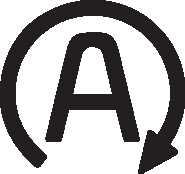
This indicator will appear when the engine enters the Idle Stop mode of ISG (Idle Stop and Go) system.
When the automatic starting occurs, the auto stop indicator on the cluster will blink for 5 seconds.
For more details, refer to Idle Stop and Go (ISG) system.
When the engine automatically starts by ISG system, some warning lights (ABS, ESC, ESC OFF, EPS or Parking brake warning light) may turn on for a few seconds. This happens because of the low battery voltage. It does not mean the system is malfunctioning.
AUTO HOLD indicator light: (if equipped)
-
[White] When you activate the auto hold system by pressing the AUTO HOLD button.
-
[Green] When you stop the vehicle completely by depressing the brake pedal with the auto hold system activated.
-
[Yellow] When there is a malfunction with the auto hold system. In this case, have the vehicle inspected by an authorized Kia dealer.
For more details, refer to AUTO HOLD.
Immobilizer indicator light (without smart key)

-
When the vehicle detects the immobilizer in your key properly while the ignition switch is ON.
-
You can start the engine.
-
The indicator light goes off after starting the engine.
-
-
When there is a malfunction with the immobilizer system.
Have the vehicle inspected by an authorized Kia dealer.
Immobilizer indicator light (with smart key)

-
When the vehicle detects the smart key in the vehicle properly while the ENGINE START/STOP button is ACC or ON.
-
You can start the engine.
-
The indicator light goes off after starting the engine.
-
-
When the smart key is not in the vehicle.
-
You can not start the engine.
-
-
When the vehicle can not detect the smart key which is in the vehicle while the ENGINE START/STOP Button is ON.
In this case, have the vehicle inspected by an authorized Kia dealer.
-
When the battery of the smart key is weak.
-
At this time, you can not start the engine. However, you can start the engine if you press the ENGINE START/STOP Button with the smart key. (For more details, refer to ).
-
-
When there is a malfunction with the immobilizer system.
Have the vehicle inspected by an authorized Kia dealer.
Turn signal indicator light

-
When you turn the turn signal light on.
If any of the following occurs, there may be a malfunction with the turn signal system. Have the vehicle inspected by an authorized Kia dealer.
-
The indicator light does not blink, but appears.
-
The indicator light blinks more rapidly.
-
The indicator light does not appear at all.
Low beam indicator light

-
When the headlights are on.
High beam indicator light

-
When the headlamps are on and in the high beam position.
-
When the turn signal lever is pulled to the Flash-to-Pass position.
High Beam Assist indicator light

-
When the high beam is on with the light switch in the AUTO light position.
-
If your vehicle detects vehicles ahead or oncoming, High Beam Assist will switch the high beam to low beam automatically.
For more details, refer to High Beam Assist (HBA).
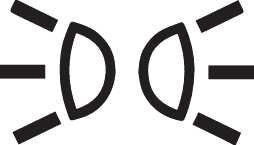
Light ON indicator light
-
When the taillights or headlights are on.
Front fog indicator light
: (if equipped) : (if equipped)
-
When the front fog lights are on.
Lane Safety indicator light
-
Once you set the ENGINE START/STOP button to the ON position.
-
It appears for approximately 3 seconds and then goes off.
-
-
Gray: When Lane Keeping Assist operating conditions are not satisfied.
-
Green: When Lane Keeping Assist operating conditions are satisfied.
-
Yellow: When Lane Safety is disabled, or a malfunction is detected.
If the yellow warning light remains on after the sensor has been uncovered or unblocked when Lane Safety is set, have your vehicle be inspected by an authorized KIA dealer.
-
Green: When Lane Keeping Assist is operating.
For more details, refer to Lane Keeping Assist (LKA).
Cruise Control indicator light
-
When the Smart Cruise Control system is enabled.
For more details, refer to Smart Cruise Control (SCC).
Downhill Brake Control (DBC) indicator light

-
When you set the ENGINE START/STOP Button to the ON position.
-
It appears for approximately 3 seconds and then goes off.
-
-
When you activate the system by pressing the DBC button.
-
When the DBC is operating.
-
When there is a malfunction with the DBC system.
Have your vehicle inspected by an authorized Kia dealer.
For more details, refer to Downhill Brake Control (DBC).
All Wheel Drive (AWD) LOCK indicator light
: (if equipped) : (if equipped)
-
Once you set the ENGINE START/STOP button to the ON position.
-
It appears for approximately 3 seconds and then goes off.
-
-
When you select AWD lock mode by pressing the AWD LOCK button.
-
The AWD lock mode is to increase the drive power when driving on wet pavement, snow covered roads and/or off-road.
-
AWD lock mode
Do not use AWD LOCK mode on dry paved roads or highways, it can cause noise, vibration or damage of AWD related parts.
Drive mode indicator light (NOMAL/ECO/SPORT/SMART/SNOW): (if equipped)
-
When you select each mode as drive mode.
For more details, refer to Drive mode integrated control system.
Driver Attention Warning light
: (if equipped) : (if equipped)
-
When the ENGINE START/STOP Button is in the ON position. It illuminates for about 3 seconds and then goes off.
-
Yellow: When Driver Attention Warning is disabled or a malfunction is detected. If the yellow indicator light remains on after the front view camera has been uncovered or unblocked, have your vehicle inspected by an authorized Kia dealer.
-
Yellow: Driver Attention Warning recommends to take a break.
For more details, refer to Driver Attention Warning (DAW).
Intelligent Speed Limit Assist indicator light
: (if equipped) : (if equipped)
-
When the ENGINE START/STOP Button is in the ON position. It illuminates for about 3 seconds and then goes off.
-
Yellow: When Intelligent Speed Limit Assist is off, disabled, or a malfunction is detected.
-
While the Intelligent Speed Limit Assist system is in operation, indicates the speed limit and shows the speed limit in red when the vehicle is exceeding the speed limit.
For more details, refer to Intelligent Speed Limit Assist (ISLA).
Highway Lane Change Assist indicator light
: (if equipped) : (if equipped)
-
Green: When Highway Lane Change Assist is ready for operation.
-
Grey: When Highway Lane Change Assist is in standby.
-
Green: When Highway Lane Change Assist is operating.
-
White: When Highway Lane Change Assist is canceled.
For more details, refer to Highway Driving Assist (HDA).
Lane Following Assist indicator

Lane Following Assist indicator will appear when you turn Lane Following Assist on by pressing Lane Driving Assist button.
If there is a problem with the function, the yellow Lane Following Assist indicator will appear.
For more details, refer to Lane Following Assist (LFA).