
Rear view
Operating conditions
If the gear is shifted to R (Reverse), while rear view is displayed on the screen.
Off conditions
The rear view will not be turned off with the gear in R (Reverse).
-
If pressing the Parking/View button (1) when the gear is in P (Parking) position with the video is displayed, the video will be turned off.
Extended rear view
-
With the ENGINE START/STOP button in the ON position, select 'Setting → Screen → Keep Rear Camera' from the Settings menu of the Infotainment system.
-
When parking, the rear view will maintain showing on the screen if the following conditions are satisfied:
-
The gear is shifted from R (Reverse) to N (Neutral) or D (Drive)
-
Vehicle speed is below 6 mph (10 km/h)
-
-
The rear view will turn off when vehicle speed is above 6 mph (10km/h).
-
The rear view will turn off when the Parking/View button (1) is pressed.
-
If the gear is shifted to p (park), the function is turned off.
Rear View Monitor - Top View
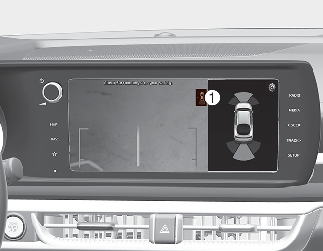
When you touch the icon (1), the top view is displayed on the screen and shows the distance from the vehicle in the back of your vehicle while parking.