
Rear View Monitor (RVM)
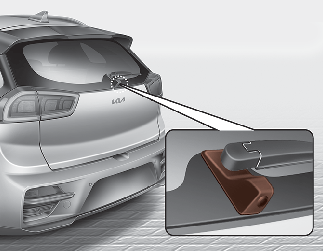
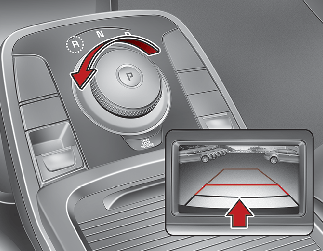
-
This function is a supplemental function only. It is the responsibility of the driver to always check the inside/outside rearview mirrors and the area behind the vehicle before and while backing up because there is a dead zone that can't be seen by the camera.
-
If the camera lens is covered with foreign material, the Rear View Monitor may not operate normally. Always keep the camera lens clean.
However, do not use chemical solvents such as strong detergents containing high alkaline or volatile organic solvents (gasoline, acetone etc.). This may damage the camera lens.
* If your vehicle is equipped with Infotainment System, rearview display image will show behind the vehicle through the multimedia monitor while backing-up. Refer to a separately supplied manual for detailed information.

Backing up & using camera
Never rely solely on the rear view camera when backing up. You must always use methods of viewing the area behind you, including looking over both shoulders, as well as continuously checking all three rear view mirrors. Due to the difficulty of ensuring that the area behind you remains clear, always back up slowly and stop immediately if you even suspect that a person, and especially a child, might be behind you.