
To set Smart Cruise Control Speed :
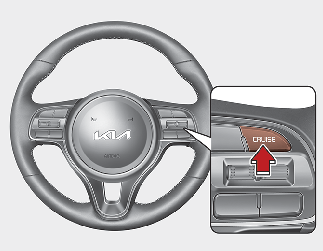
Smart Cruise Control speed can be set as follows:
-
5 mph (10 km/h) ~ 100 mph (160 km/h): when there is no vehicle in front
-
0 mph (0 km/h) ~ 100 mph (160 km/h): when there is a vehicle in front
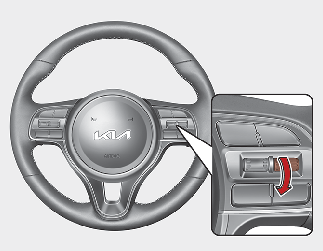

If there is a vehicle in front of you, the speed may decrease to maintain the distance to the vehicle ahead. On a steep grade, the vehicle may slow down or speed up slightly while going uphill or downhill.
Vehicle speed may decrease on an upward slope and increase on a downward slope.
The speed will be set to 20 mph (30 km/h) when there is a vehicle ahead and your vehicle speed is 0 mph (0 km/h) ~ 20 mph (30 km/h).
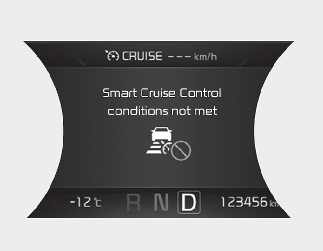
Smart Cruise Control conditions not met
-
The driver’s door is opened.
-
The vehicle is shifted to N (Neutral) / R (Reverse) / P (Parking).
-
The parking brake is applied.
-
The vehicle speed is not within the specified Smart Cruise Control range.
-
The ESC (Electronic Stability Control), TCS (Traction Control System) or ABS is operating.
-
The ESC (Electronic Stability Control), TCS (Traction Control System) or ABS is off.
-
The sensor cover is extremely contaminated.
-
The motor performance is abnormal.
-
Forward Collision-Avoidance Assist is activated.
-
The motor RPM is in the red zone.
-
The front radar sensing data is out of limit.