
Activating Lane Following Assist
With the POWER button in the ON position,
-
Press the Lane Driving Assist button
 located on the steering wheel to turn on Lane Following Assist.
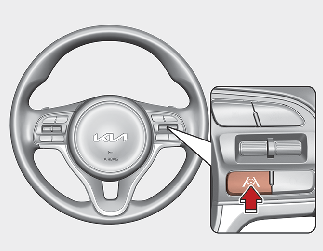
The white or green (
 ) indicator light will illuminate on the cluster. Press the button again to turn off the function.
-
Select or release the setting from "User setting → Driver Assistance → Lane Following Assist.“on LCD display.
Once the function starts working, the indicator light ( ) comes on the instrument panel.
The indicator light colors according to the function status are as follows.
-
Green: steering assist mode on
-
White: steering assist mode off