

Warning Methods
 N_SP3i25_C00_067_IR |
|
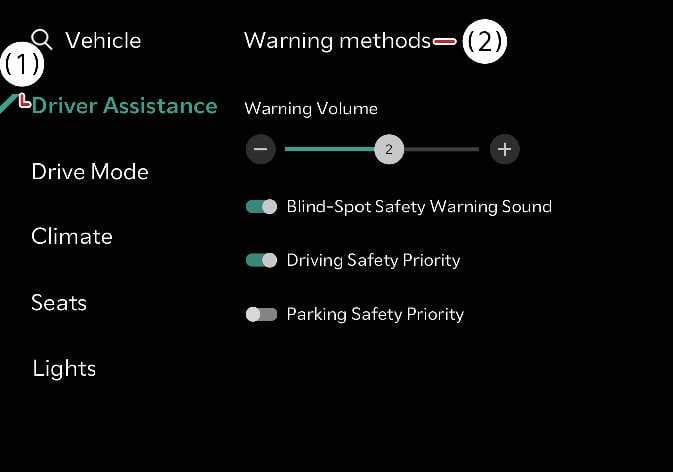
To change the Warning Methods settings while the vehicle is ON, tap on the infotainment system screen. You can change the following settings:
-
Warning Volume: Adjusts the volume of the warning sound.
-
Driving Safety Priority: Lowers all other audio volumes when the Driving Safety system sounds a warning.
-
Your Warning Methods settings may apply to the Warning Methods of other driver assistance systems.
-
Warning Methods maintain their last settings when you turn OFF and restart the vehicle.
-
The setting menu may not be available for your vehicle depending on your vehicle features and specifications.
-
When towing a trailer or installing a carrier, vehicle stability may be reduced. Disable the function if necessary and always drive safely with caution.
-
Do not use the system when towing another vehicle or when installing equipment that may affect sensor performance or vehicle balance. The system may not operate properly.
-
When connecting a trailer or carrier, set the trailer or carrier menu (if equipped). If the driver manually sets the menu or the trailer or carrier connection is automatically recognized through genuine parts, the functions of the driver assistance system may be limited. Please refer to Driver assistance system limitations and always drive with caution.