

How to disconnect adapter
After charging is complete:
- Use the vehicle’s infotainment system screen, the mobile app, or the charging station display to stop charging.
- Unlock the vehicle’s charging inlet.
-
Disconnect the adapter from the vehicle.
CAUTION
Do not disconnect the charging connector from the adapter while it is connected to the vehicle.
-
Press the latch button (1) on the charging connector and pull the connector straight out to disconnect it (2).
Figure 1. DC Adapter 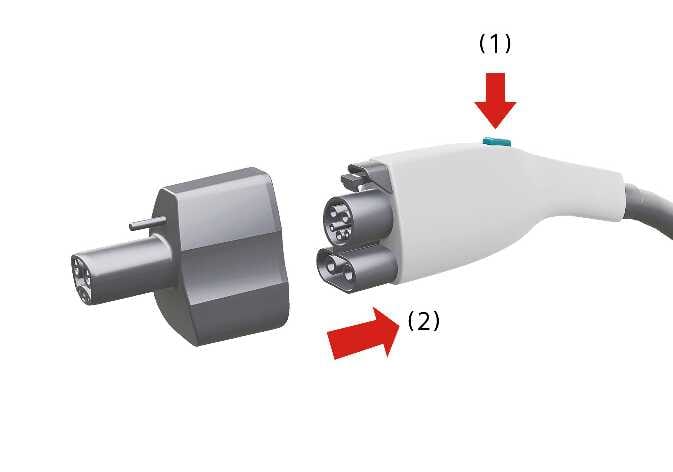 N_CT25_A07_020_A
Figure 2. AC Adapter 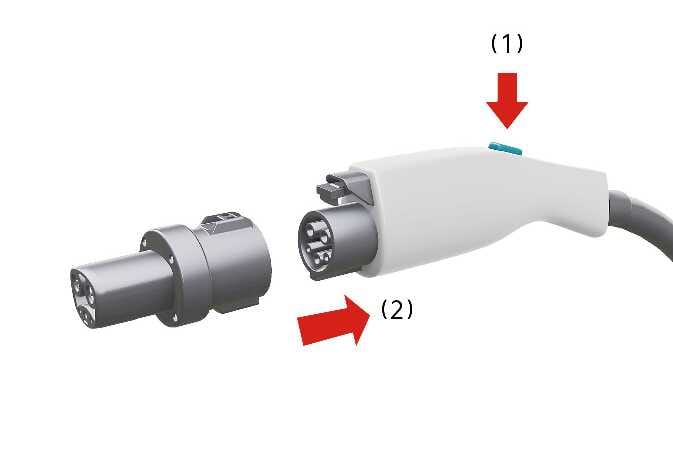 N_CT25_A07_019_A
 - Place the charging connector back in its designated holder at the station.
- Store the CCS1 adapter in the vehicle.