Turning on Smart Cruise Control

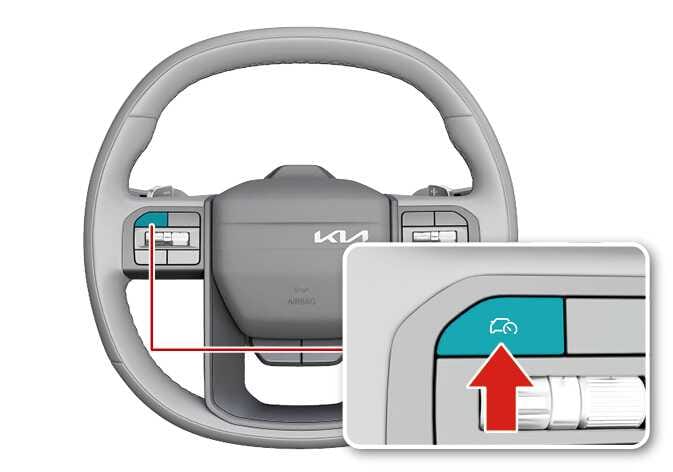
2026 Kia Tasman steering wheel control image. The Driving Assist button on the right spoke is highlighted in teal. A detailed view shows the button with a car and speedometer icon, indicated by a red arrow pointing upwards. Describes the function of pressing the button to turn on Smart Cruise Control.
N_TK25E068_1

Press the Driving Assist button to turn on Smart Cruise Control. The speed will be set to the current speed on the cluster.

  • If there is no vehicle in front of you, the set speed will be maintained.

  • If there is a vehicle in front of you, the speed may be adjusted to maintain the distance to the vehicle ahead. If the vehicle ahead accelerates, your vehicle will travel at a steady cruising speed after accelerating to the set speed.

NOTE
  • If your vehicle speed is between 0~30 km/h (0~20 mph) when you press the Driving Assist button, the Smart Cruise Control speed will be set to 30 km/h (20 mph).

  • If the driver shifts to a lower gear, the driving speed may not reach the set speed.

  • When press and hold the Driving Assist button, the Manual Speed Limit Assist will activate.

  • For more information on Manual Speed Limit Assist (MSLA), please refer to Manual Speed Limit Assist (MSLA)