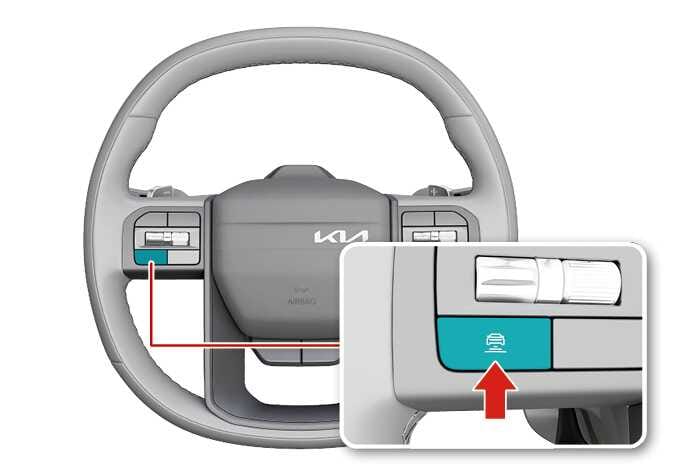
Setting vehicle distance
2026 Kia Tasman steering wheel vehicle distance button image. The image shows the steering wheel with the vehicle distance button on the left spoke highlighted in teal. A red arrow points to the button, which has a car icon with horizontal lines. This explains the function of pressing the button to adjust the vehicle distance for Smart Cruise Control.
N_TK25E079_1

Each time the button is pressed, the headway changes as follows:
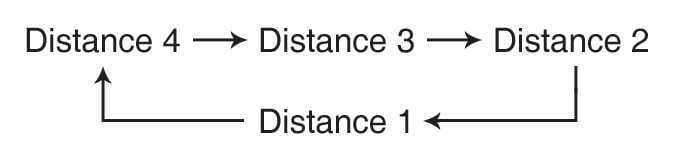
2026 Kia Tasman Smart Cruise Control distance setting cycle image. A diagram illustrates the sequence Distance 4, Distance 3, Distance 2, and Distance 1 connected by arrows in a loop. Explains the function where the vehicle-to-vehicle distance changes sequentially each time the button is pressed.

For example, if you drive at 90 km/h (56 mph), the distance is maintained as follows:

  • Stage 1 indicates the nearest distance.

  • Distance 4: approximately 52.5 m (172 ft)

  • Distance 3: approximately 40 m (130 ft)

  • Distance 2: approximately 32.5 m (106 ft)

  • Distance 1: approximately 25 m (82 ft)

NOTE

The distance is set to the last set distance when the vehicle is restarted, or when Smart Cruise Control was temporarily canceled.