

Lane Safety
 OMQ4053190L |
|
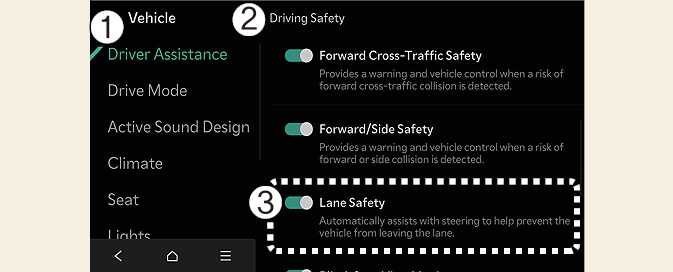
While the vehicle is DRIVE READY, tap on the infotainment system screen to change the Lane Safety settings.
-
Lane Safety: When lane departure is detected, the system assists with steering to prevent leaving the lane, and if lane departure occurs, it alerts the driver with an audible sound. If Lane safety is deselected, the indicator light (
 ) will turn off.
-
Lane Keeping Assist does not control the steering wheel when the vehicle is driven in the middle of the lane.
-
The driver should always be aware of the surroundings and steer the vehicle if Lane safety is deselected.
When using a Kia genuine Trailer Kit and the connector is plugged into your vehicle, Lane Keeping Assist automatically turns OFF. In this case, you cannot get help from Lane Keeping Assist. Pay extra attention when you drive while the function is inactive. (A Kia genuine Trailer Kit can determine whether a trailer is connected.)
By pressing and holding the Lane Driving Assist button ( ), the Lane Keeping Assist will be turned off, and it will deactivate the Lane Safety.