

Limitations of Smart Cruise Control
Smart Cruise Control may operate abnormally or unexpectedly under the following circumstances:
-
The detection sensor or its surrounding areas are contaminated or damaged.
-
Washer fluid is continuously sprayed, or the wiper is ON.
-
The camera lens is obscured by a windshield tint, film, or coating, damaged glass, or objects on the glass such as a sticker or insect.
-
There is moisture or ice on the windshield.
-
Glare from the sun obstructs the front view camera’s field of view.
-
Streetlights or light from an oncoming vehicle is reflected on the wet road surface, such as a puddle on the road
-
The temperature near the front view camera is very high or low.
-
There is an object on the instrument panel.
-
The surrounding is very bright
-
The surrounding is very dark, such as in a tunnel, etc.
-
The brightness changes suddenly (for example, when you enter or exit a tunnel).
-
The brightness outside is low, and the headlights are not ON or are not bright.
-
You are driving in heavy rain, snow, or thick fog.
-
Through steam, smoke, or shadow.
-
Only part of the vehicle is detected.
-
The vehicle ahead does not have tail lights or has an unusual tail light configuration.
-
The brightness outside is low, and the tail lights are not on or are not bright
-
The rear of the front vehicle is small or does not look normal (for example, tilted, overturned, etc.)
-
The vehicle ahead has ground clearance that is extremely low or high.
-
A vehicle suddenly cuts in ahead of you.
-
Your vehicle is being towed.
-
An object reflecting off the front radar such as a guardrail, nearby vehicle, etc.
-
The bumper near the front radar is impacted or damaged, or the front radar is out of position.
-
The temperature near the front radar is high or low.
-
The vehicle ahead is made of material that does not reflect on the front radar.
-
Driving on a slippery surface due to snow, water puddle, ice, etc.
-
You are driving on a sharp curved road.
-
The vehicle ahead is detected late.
-
The vehicle ahead is suddenly blocked by an obstacle.
-
The vehicle in front suddenly changes a lane or suddenly reduces speed
-
The vehicle ahead is bent out of shape.
-
The front vehicle’s speed is fast or slow
-
With a vehicle in front, your vehicle changes a lane suddenly at low speed
-
The vehicle ahead is covered in snow.
-
Your driving is unstable.
-
You are driving in a traffic circle and the curvature of the road prevents detection of the vehicle ahead.
-
You are continuously driving in a circle.
-
The adverse road conditions cause excessive vehicle vibrations while driving
-
Your vehicle height is low or high due to heavy loads, abnormal tire pressure, and so on.
-
Driving in following places
-
In a parking lot.
-
Driving through a construction area, unpaved road, partial paved road, uneven road, speed bumps, etc.
-
On a steep or curving road.
-
By a roadside with trees or streetlights.
-
Along a narrow road with dense trees or overgrowth.
-
Through electromagnetic waves, such an area with strong radio waves or electrical noise.
-
You are driving on a sloped road, curved road, etc.
-
Driving through a tunnel or steel bridge
-
Near areas with a lot of metal, like a construction zone or railroad.
-
Driving in vast areas where there are few vehicles or structures (for example, desert, meadow, suburb, etc.)
-
Driving near a highway (or motorway) interchange or tollgate
-
-
You are driving on a curved road.
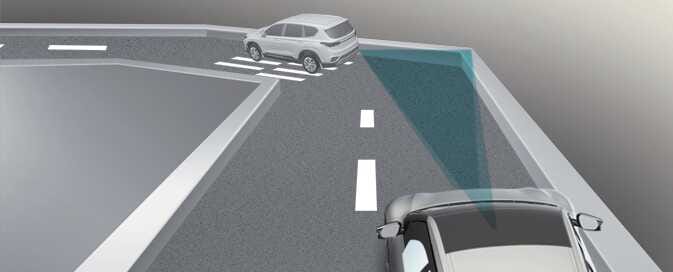 OCV052061
On curves, Smart Cruise Control may not detect a vehicle in the same lane, and may accelerate to the set speed. The vehicle speed may rapidly decrease when the vehicle ahead is detected suddenly.
Select the appropriate set speed on curves, and engage the brake pedal or accelerator pedal according to the road and driving conditions ahead.
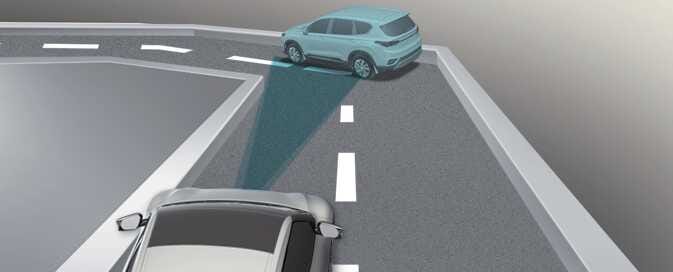 OCV051062L
Your vehicle speed can be reduced due to a vehicle in the adjacent lane.
Check to be sure that the road conditions permit safe operation of Smart Cruise Control and if necessary, depress the brake pedal to reduce your driving speed in order to maintain a safe distance
-
Driving on an incline
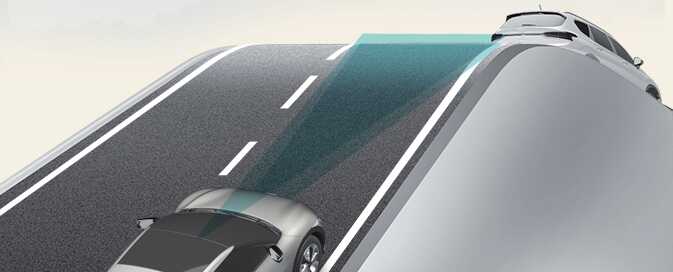 OCV052063
During uphill or downhill driving, the Smart Cruise Control may not detect a moving vehicle in your lane, and cause your vehicle to accelerate to the set speed. The vehicle speed will rapidly decrease when the vehicle ahead is detected suddenly.
Select the appropriate set speed on inclines, and engage the brake pedal or accelerator pedal according to the road and driving conditions ahead.
-
Changing lanes
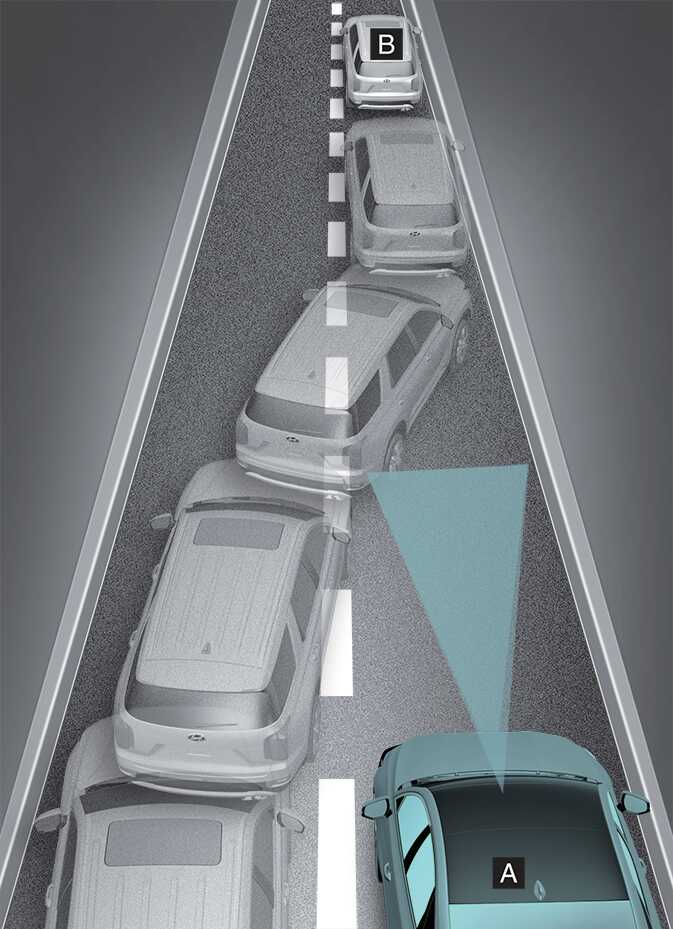 OCV051238L
-
Your vehicle
-
Lane changing vehicle
When a vehicle (2) moves into your lane from an adjacent lane, it cannot be detected by the sensor until it is in the sensor’s detection range. Smart Cruise Control may not immediately detect the vehicle when the vehicle changes lanes abruptly. In this case, you must maintain a safe braking distance, and if necessary, depress the brake pedal to reduce your driving speed in order to maintain a safe distance.
-
-
Detecting a vehicle
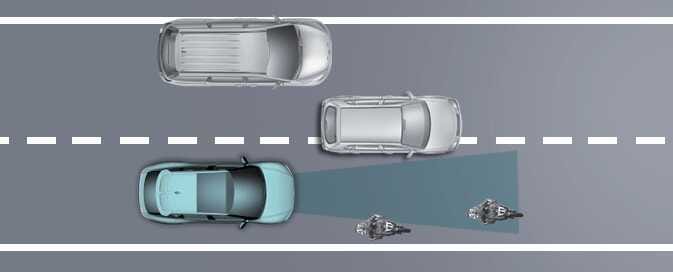 OCV051010L
The sensor cannot detect the following types of vehicles or objects:
-
Vehicles offset to one side.
-
Slow-moving or suddenly-decelerating vehicles.
-
Vehicles with higher ground clearance, or vehicles carrying loads that stick out of the back of the vehicle.
-
Vehicles with the front lifted due to heavy loads.
-
Vehicles within approximately 2 m (6 ft.) from your vehicle
-
Oncoming vehicles.
-
Stopped vehicles.
-
Vehicles with a small rear profile, such as trailers.
-
Narrow vehicles, such as motorcycles, bicycles, or powered two-wheelers
-
Special vehicles
-
Animals and pedestrians.
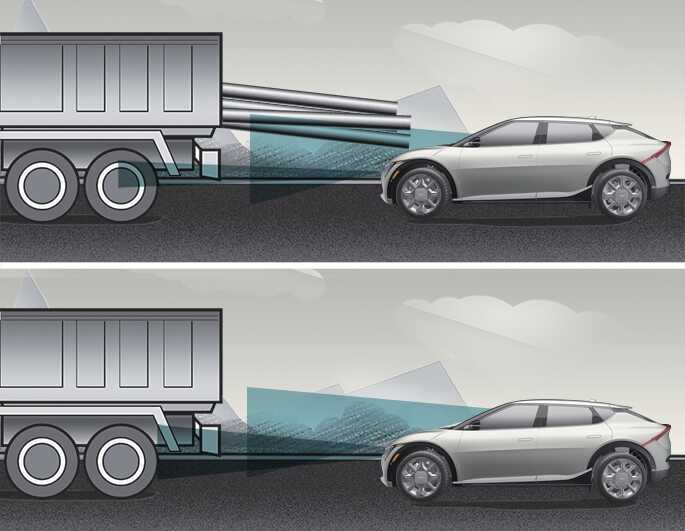 OCV054105N_2
Always pay attention to the road and driving conditions and drive safely. If necessary, adjust your vehicle speed. The sensor cannot detect the vehicle ahead in the following cases:
-
You are steering your vehicle.
-
You are driving on narrow or sharply curved roads.
-
-
When a vehicle ahead disappears at an intersection
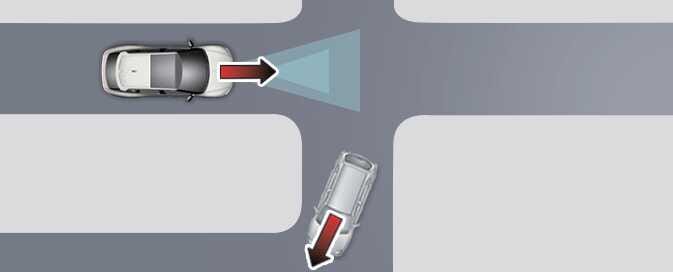 OCV052064
When a vehicle ahead disappears at an intersection, your vehicle may accelerate.
Always pay attention to the road and driving conditions.
-
When a vehicle ahead of you changes lanes
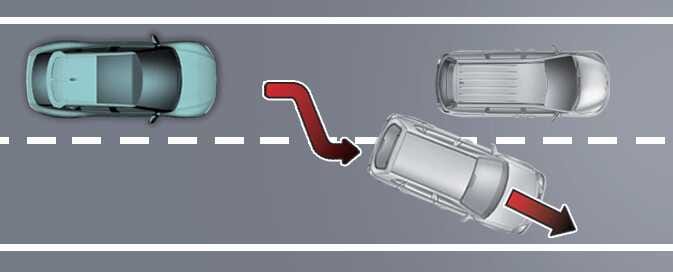 OCV052065
When a vehicle ahead of you changes lanes, Smart Cruise Control may not immediately detect the new vehicle that is now ahead of you.
Always pay attention to the road and driving conditions.
-
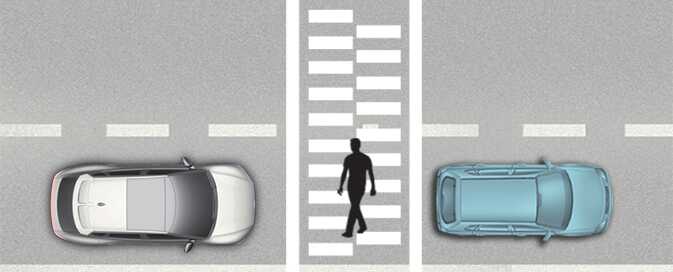
Always look out for pedestrians
 OCV054123
Always look out for pedestrians when your vehicle is maintaining a set distance from the vehicle ahead.