

Highway Driving Assist settings
 OMV033137N |
|
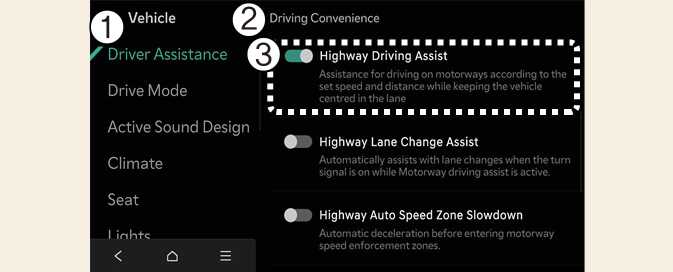
While the vehicle is DRIVE READY, tap on the infotainment system screen to set options for each function.
-
If Highway Driving Assist is selected, it helps maintain distance from the vehicle ahead, maintain the set speed, and helps center the vehicle in the lane.