

Camera Settings
 OMV033139N |
|
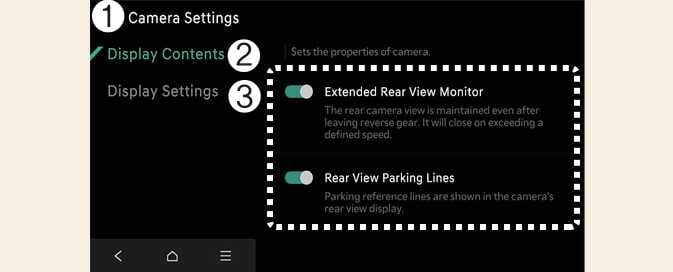
While the vehicle is DRIVE READY, tap the setup icon ( ) or tap on the infotainment system screen to change the Rear View Monitor settings.
-
Display Contents: Choose which information displays on the parking assistance screen.