

3D View function
 OCV105055N |
 OCV105067N |
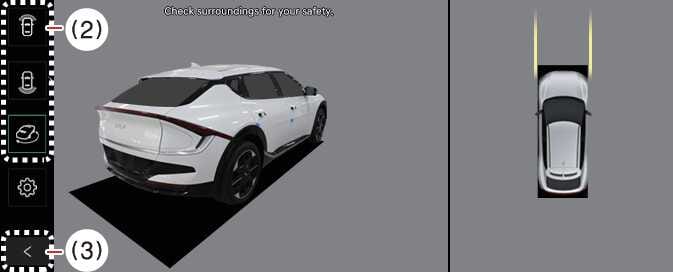
The Surround View Monitor’s 3D View function displays the vehicle from various angles. To select the angle, press the 3D View icon on the Surround View Monitor. To reset the angle, press the 3D View icon again.
The Surround View Monitor’s 3D View function activates under the following conditions:
-
P (Park) or N (Neutral) or D (Drive) position with a vehicle speed slower than 6 mph (10 km/h) or when selecting the 3D view button (2) while the Surround View Monitor is activated in R (Reverse) mode.
The Surround View Monitor’s 3D View functions turns OFF when you are parking under the following conditions:
-
You shift the gear from N (Neutral) or D (Drive) to P (Park).
-
You press the Parking/View button (1).
-
You press the back button (3) on the Surround View Monitor screen.
-
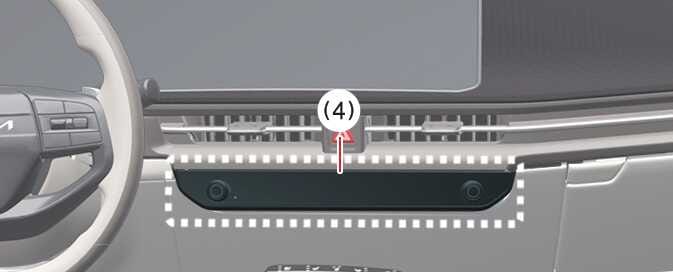
You press the infotainment system power button (4).
-
You drive above 6 mph (10 km/h).
When the vehicle is in R (Reverse), the 3D view function of the Surround View Monitor will be turned off under the following conditions:
-
Shifting to P (Park)
-
The 3D View does not display parking guidelines.
-
The top view screen, which is displayed with a Front/Rear view or 3D view, converts the original images entered from the four wide-angle cameras to provide a 360-degree image around the vehicle that is viewed down.
-
Top View does not display when you select Front or Rear Wide View.
-
Zoom in or out on the top view by pinching within the top view area.