

Adjusting lumbar support: (if equipped)
 N_SP327_B06_011_1 |
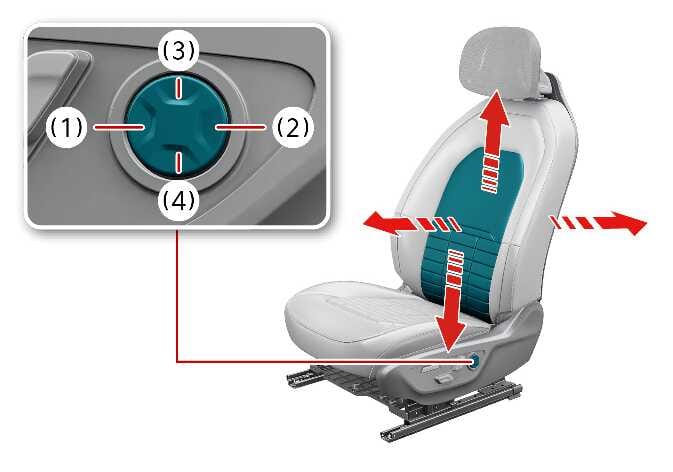
Pressing the lumbar support switch on the side of the seat.
-
Press the front portion (1) of the switch to increase the support, or the rear portion (2) of the switch, to decrease the support.
-
Press the upper portion (3) of the switch to raise the support, or the lower portion (4) of the switch, to lower the support.
-
Release the switch once it reaches the desired position.
NOTE
-
Do not continue to operate the lumbar support when the lumbar support provides its maximum support. Damage to the lumbar support motor could occur.
-
When operating the control switch with excessive force, the seat may move to other parts. Adjust it with moderate force.