

Auto set speed change (if equipped with navigation)
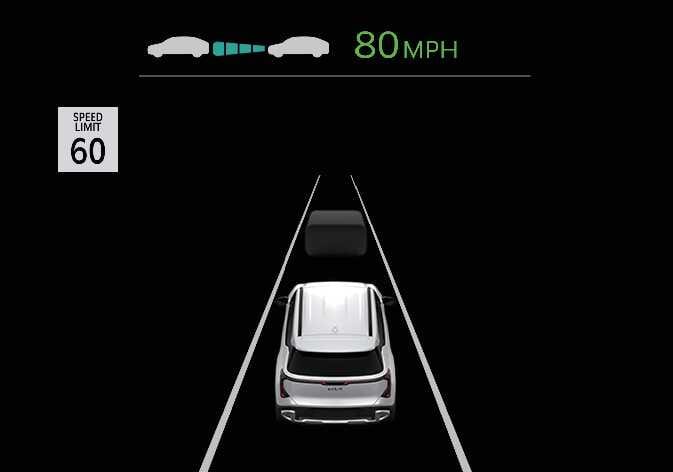 N_SP327_C00_005_A |
When the Automatic Assist menu is selected and Manual Speed Limit Assist or Smart Cruise Control is operating, the automatic set speed adjustment function is activated, and the set speed is displayed in green on the cluster. When the speed limit changes, the set speed is automatically adjusted accordingly.
When Advanced Assist is set, if the upcoming speed limit is lower than the current road speed limit, the set speed is reduced in advance. If the set speed is reduced in advance, the upcoming speed limit is displayed in green.
Automatic set speed adjustment operates under the following conditions:
-
Highways / Motorways: Roads with a speed limit of 45 mph (70 km/h) or higher.
-
Non-highway roads: Roads with a speed limit of 20 mph (30 km/h) or higher.
-
When you drive at a speed lower than the speed limit, set the offset below “0”, or push the (
 ) switch to decrease your set speed.
 -
Even after you change the set speed according to the posted speed limit, you can still drive the vehicle over the speed limit. Always check the traffic conditions and decelerate manually when necessary.
-
Intelligent Speed Limit Assist operates using the speed unit you set in the instrument cluster. If you set the speed unit to a different unit than the one used in your country, Intelligent Speed Limit Assist may not operate properly.
-
For more information about Manual Speed Limit Assist operation, refer to Manual Speed Limit Assist (MSLA).
-
For more information about Smart Cruise Control operation, refer to Smart Cruise Control (SCC 2).